HomeGabriel Demargne
Back

Design Portfolio

Portfolio content

Product and UX work spanning research, product definition, information architecture, interaction design, prototyping and implementation.

Product and UX work spanning research, product definition, information architecture, interaction design, prototyping and implementation.

Content

Spaces Project

Turning competing needs into a working serviceMapping a two-sided service through to implementation

Spaces Project

[Problem Framing][Service Design][Product Strategy][Information Architecture][Interaction Design][Service Modelling][Implementation]
Journey mapping · Product strategy · Service modelling
View section

Watchlist Investigation

Investigating and prototyping a connected product modelDeveloping a product from research to working prototype

Watchlist Investigation

[Product Investigation][Benchmarking][Interaction Design][Prototyping][Product Design][Responsive Design][Implementation]
Benchmarking · Interaction design · Prototyping
View section

Product Finder
Designing adaptive search logic for finding products nearbyModelling and refining adaptive search decisions

Product Finder
[Systems Design][Process Mapping][Decision Logic][Adaptive Search]
Process mapping · Decision logic · Systems design
View section

Design Practices

Using AI responsibly in design thinkingHow I use AI in design thinking

Design Practices

[Synthesis][Rapid Prototyping][Process Governance]
Synthesis · Prototyping · AI practice
View section

Spaces Project

Helping people find spaces that meet their needs

The project moved through research planning, user and owner journey mapping, opportunity qualification, product requirements, task flows, information architecture and interaction design before the service model became a working product.

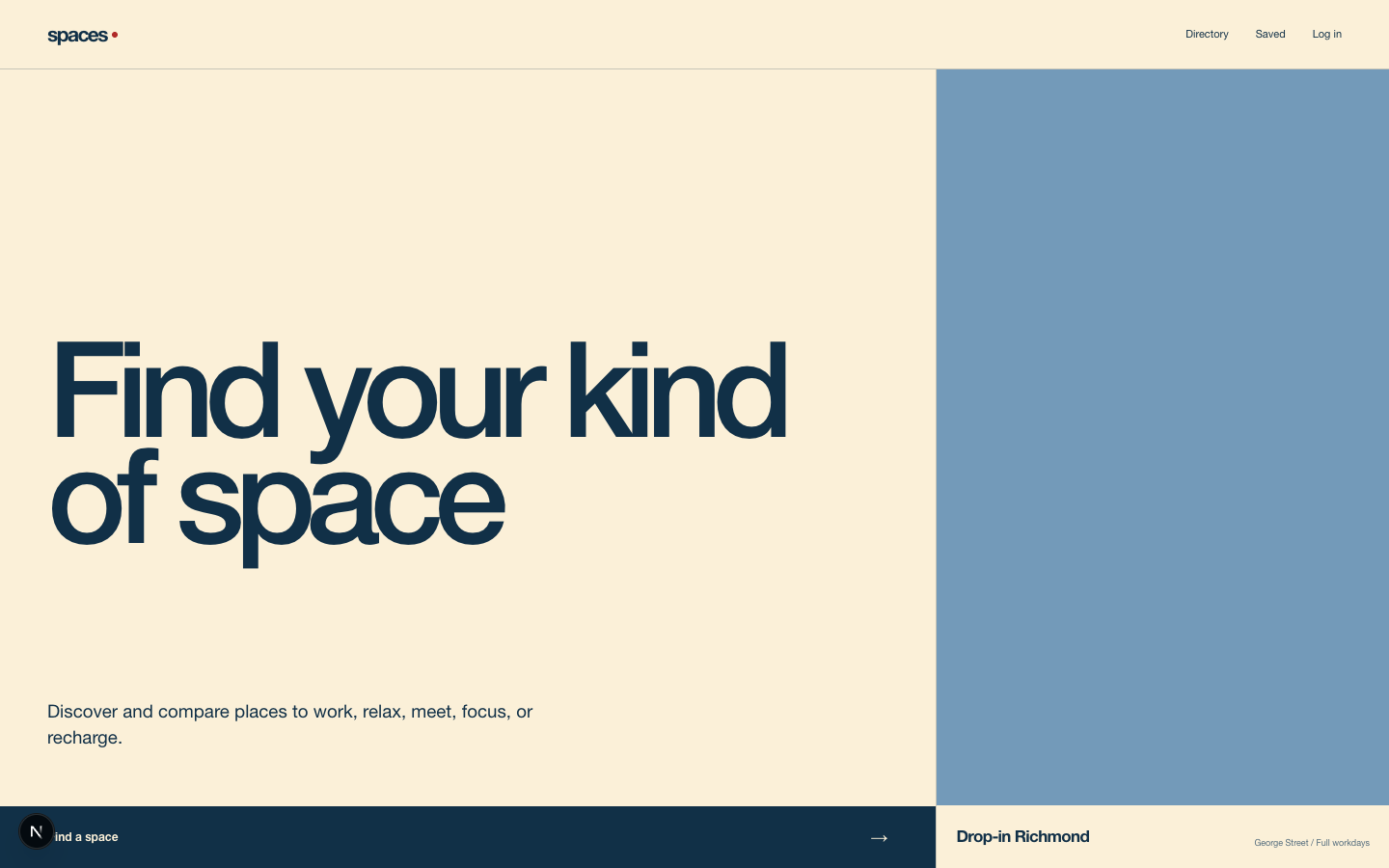
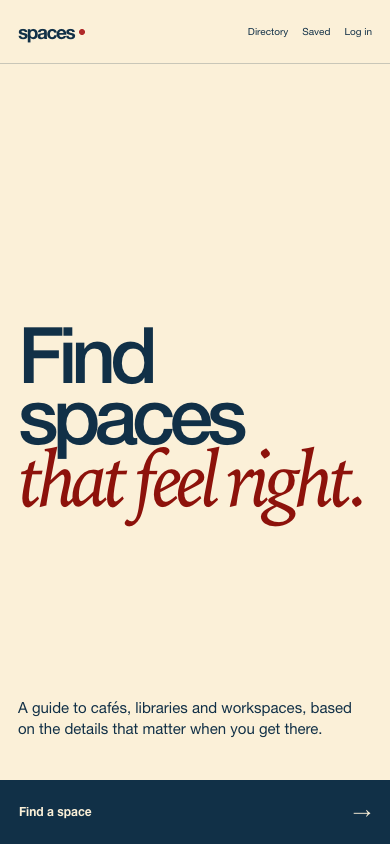
Home

Home on a desktop viewportHome on a mobile viewport

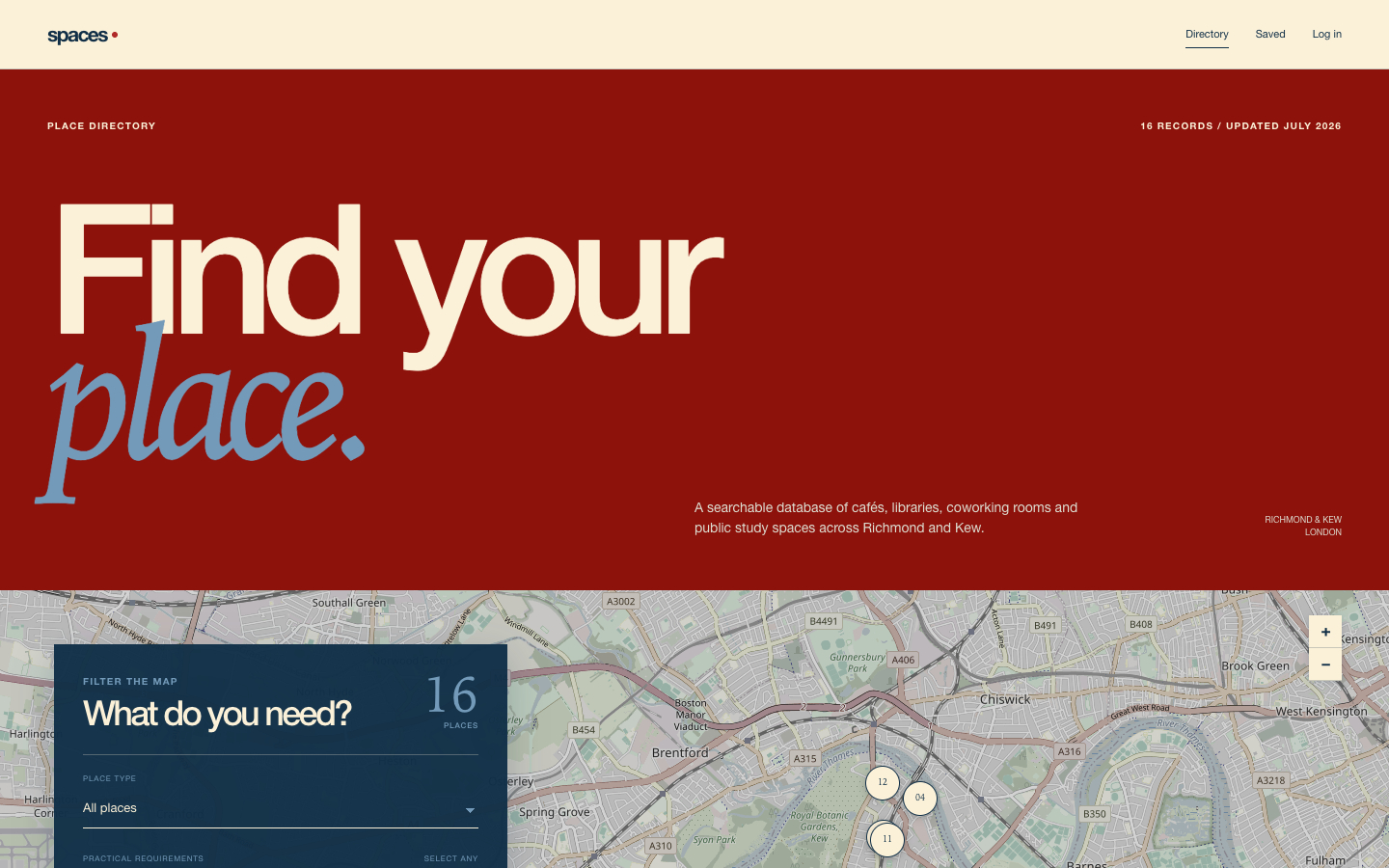
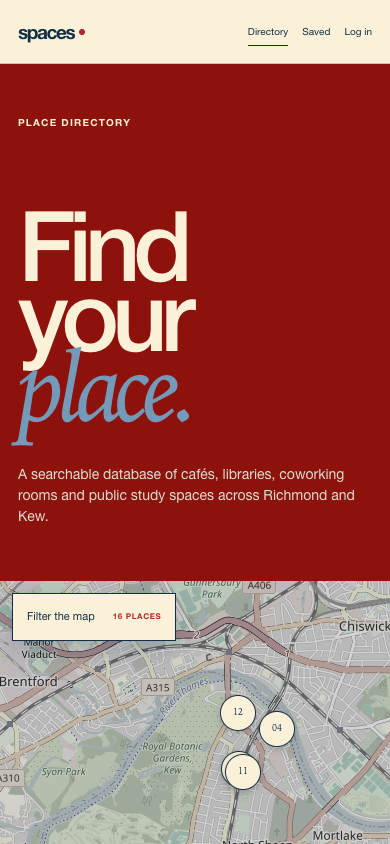
Directory

Directory on a desktop viewportDirectory on a mobile viewport

From service model to working product

The early work was carried into a functioning website. These captures show how the information architecture, interaction model and visual system were applied across the discovery experience.

Mapping a service across user and owner needs

Service-design methods shaped research planning, synthesis and separate journeys for people using and operating the spaces. This made both sides’ needs and constraints visible for clearer service and product decisions.

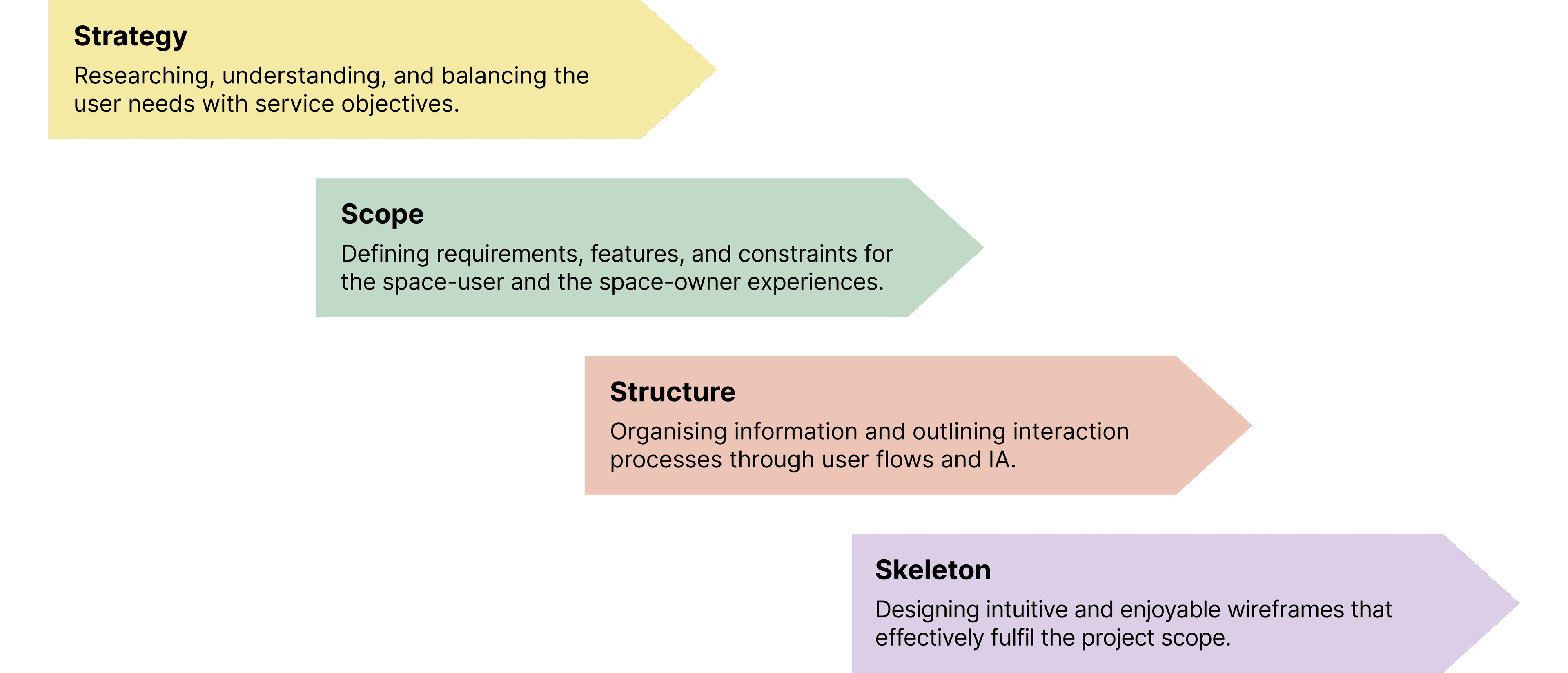
Using Garrett’s project stages

The strategy, scope, structure and skeleton stages used for the project

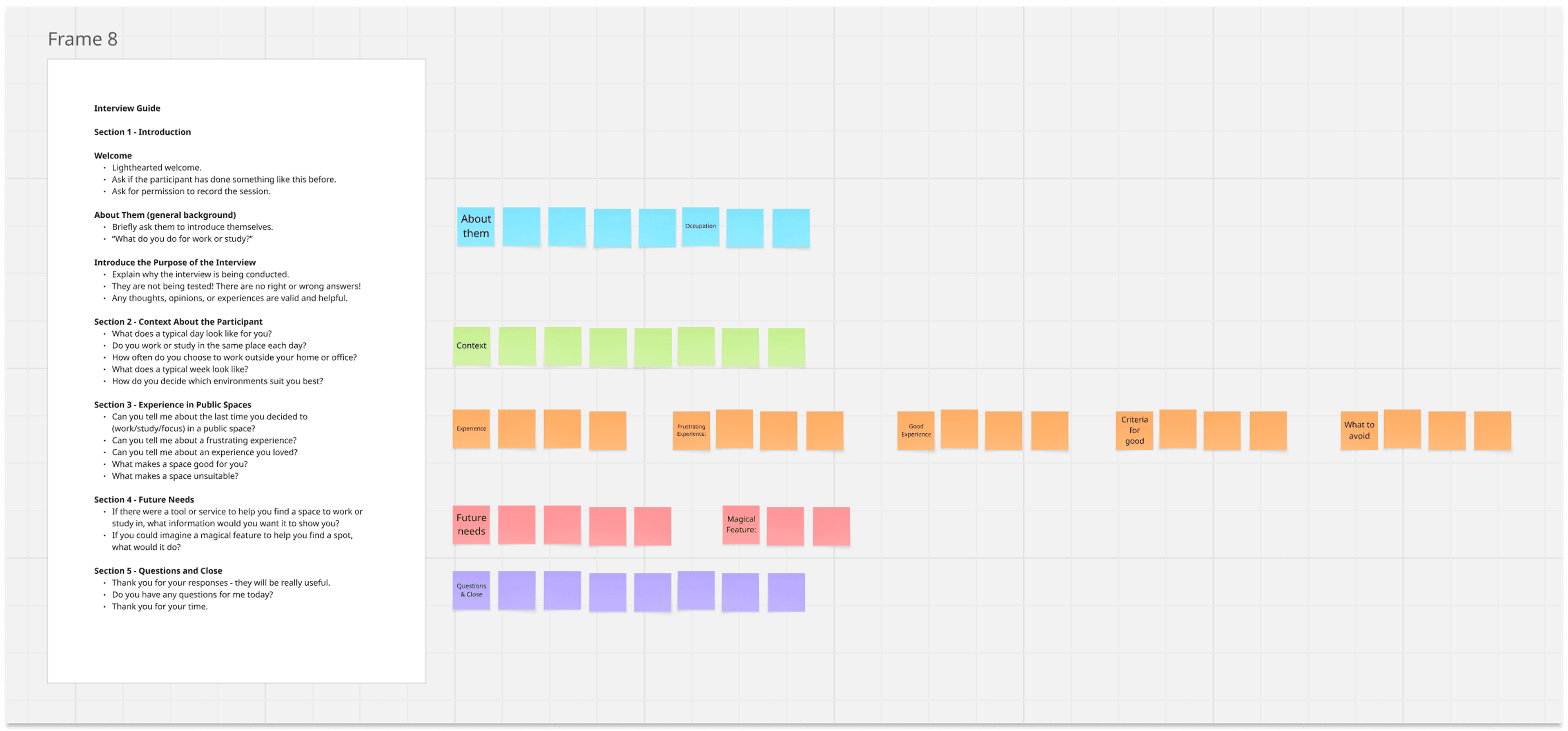
Interview setup

Interview guide and note-taking setup prepared for the Spaces project

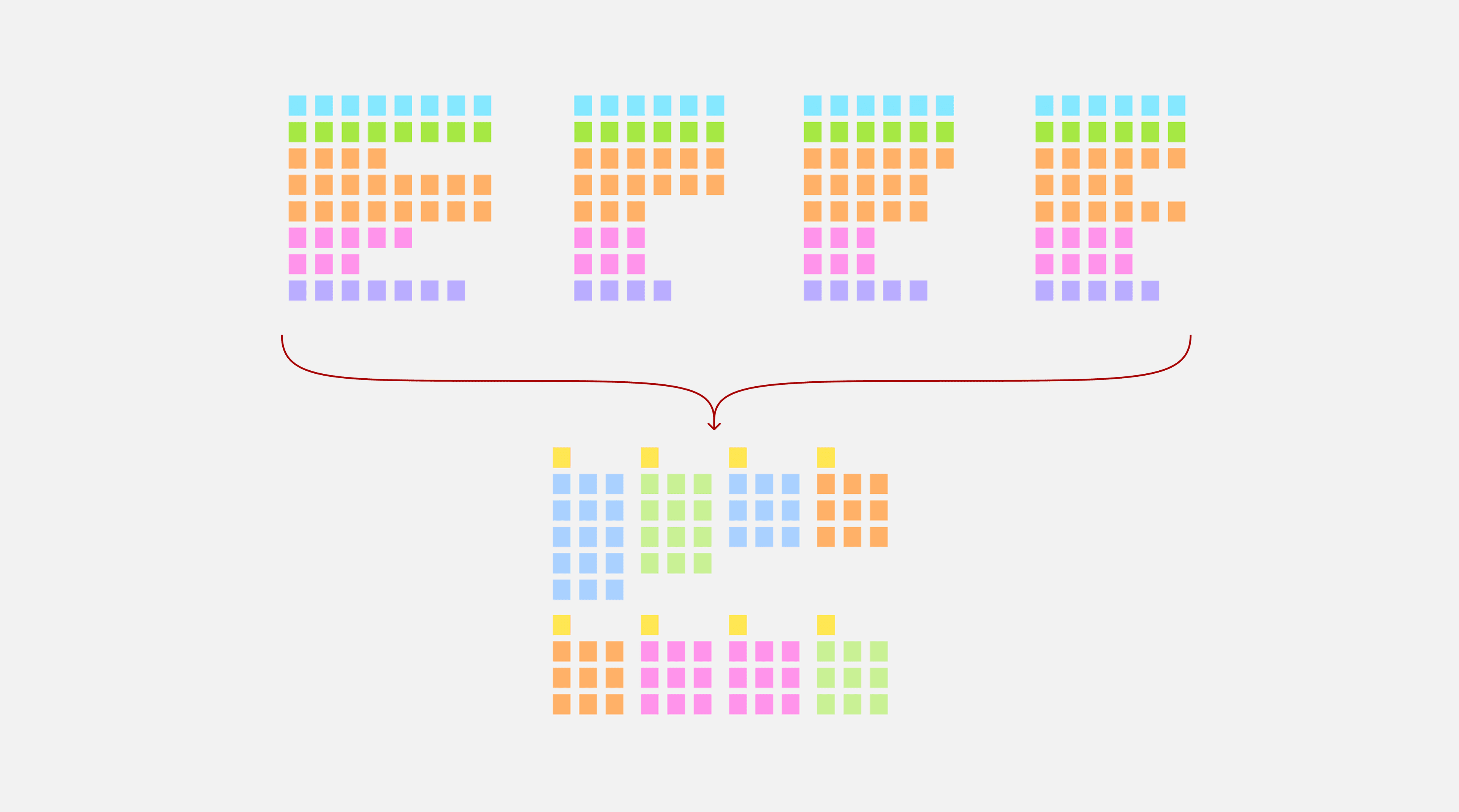
Synthesis setup · illustrative

An illustrative research synthesis board

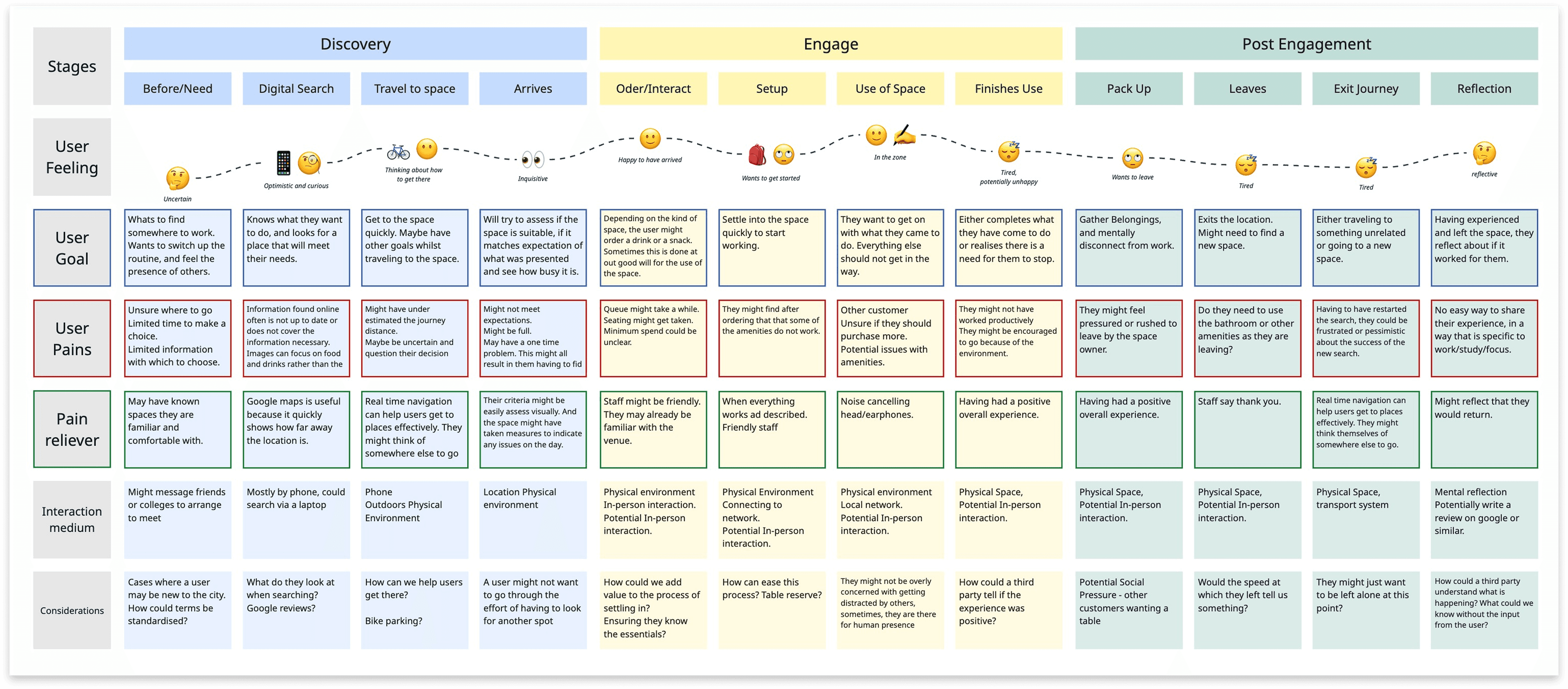
Space-user journey

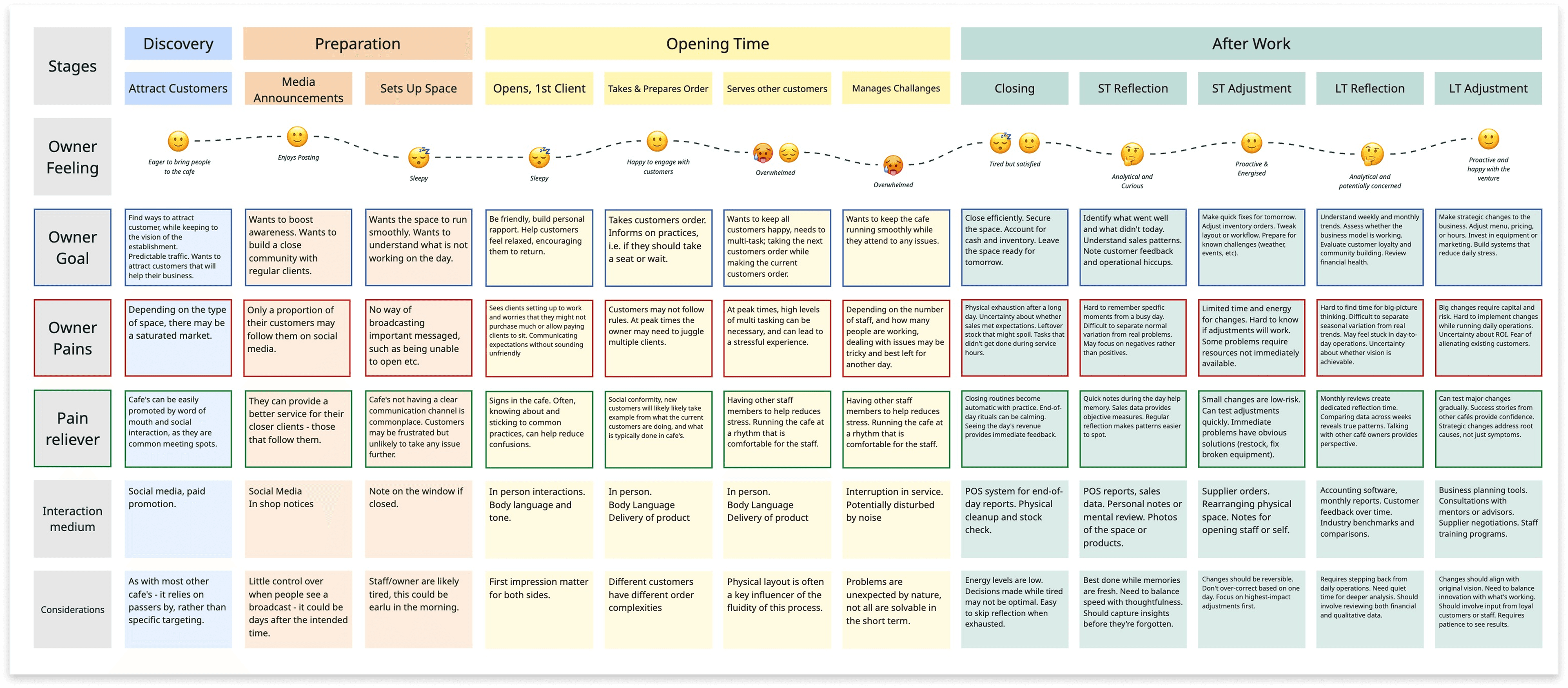
Journey map following a space user from discovery through using and leaving a café

Space-owner journey

Journey map following a café owner from attracting customers through operating and reviewing the space

Planning the investigation and mapping both sides

The work included a staged project model, an interview setup, an illustrative synthesis board, and separate journey maps for people using and operating the spaces. The interview materials document preparation; no interviews were conducted for this project.

Turning opportunities into a focused product scope

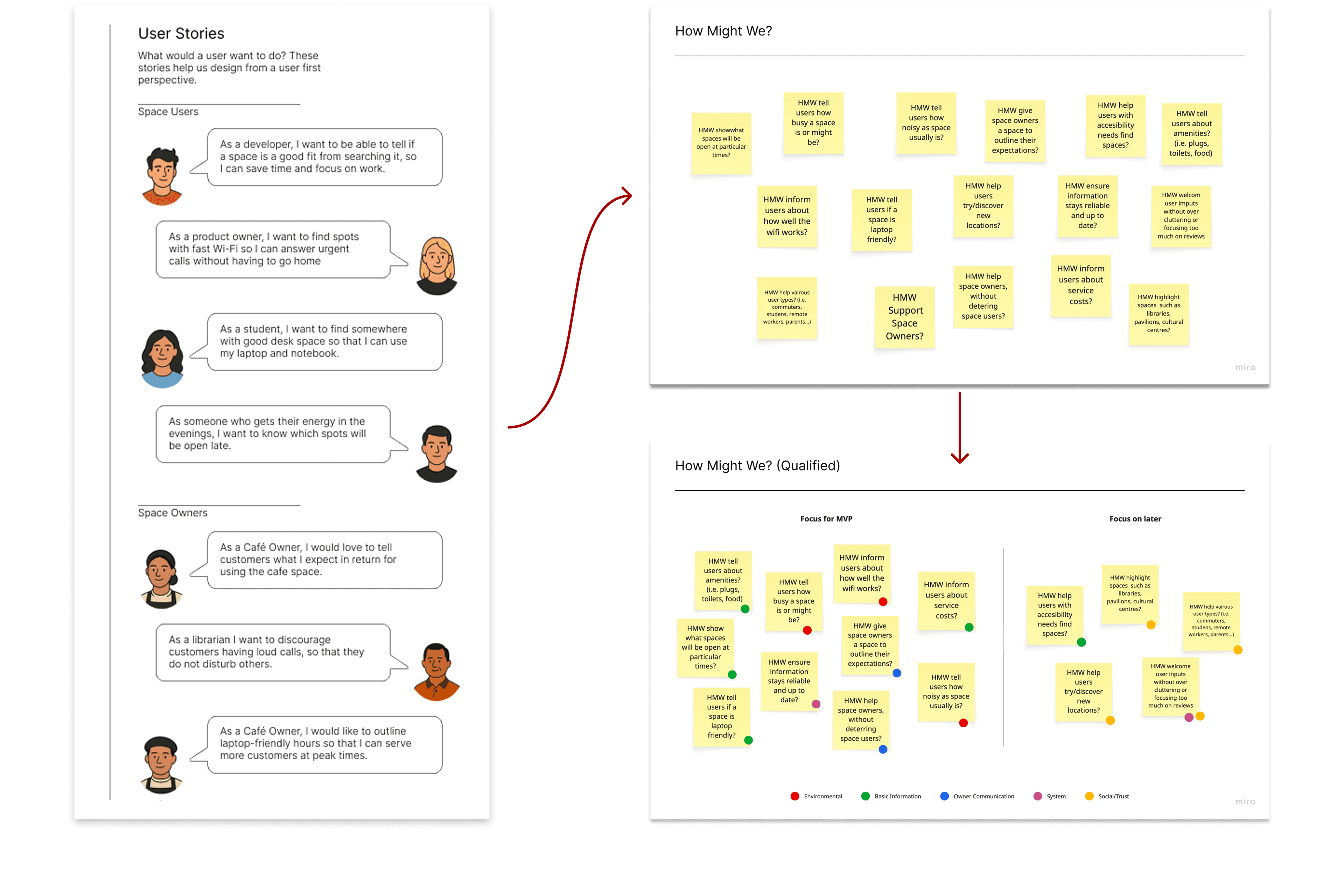
User stories and opportunities became prioritised requirements. Qualified How Might We questions and primary flows then defined a focused first release.

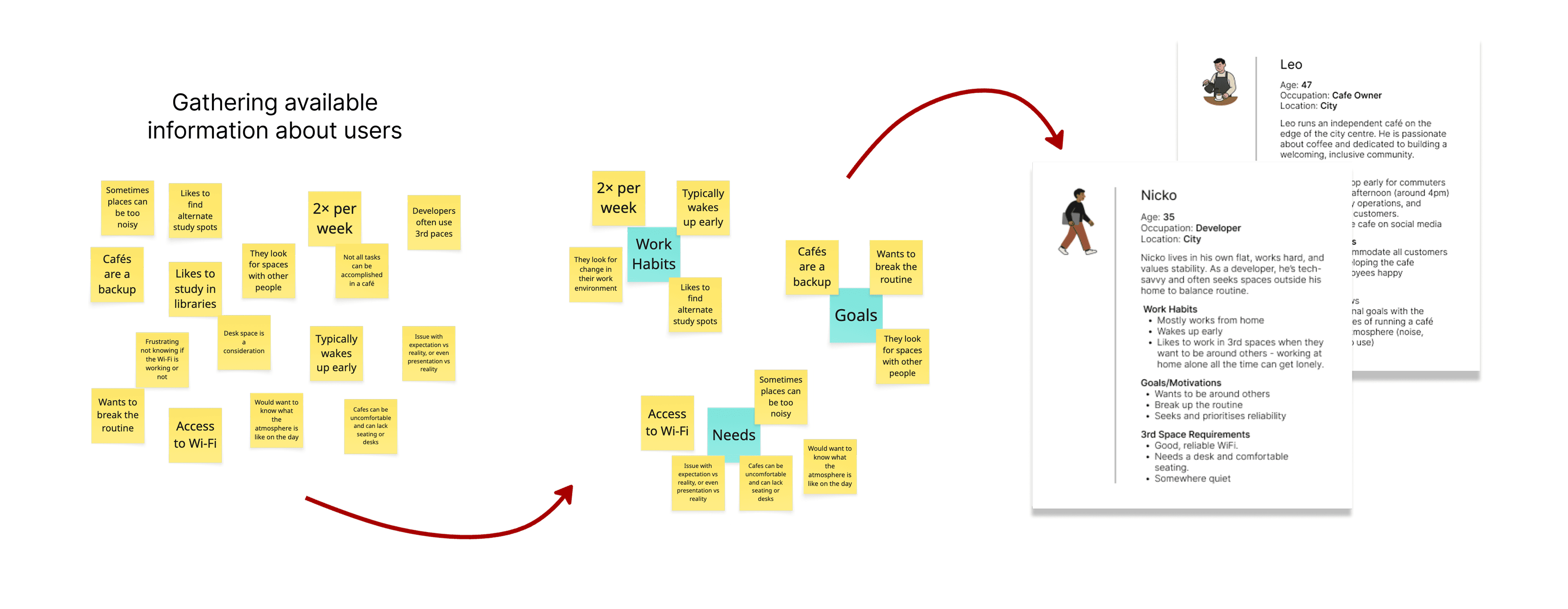
Available information and user stories

Available observations organised into user stories

Illustrative framing

How Might We qualification

How Might We questions organised and qualified against the project problem

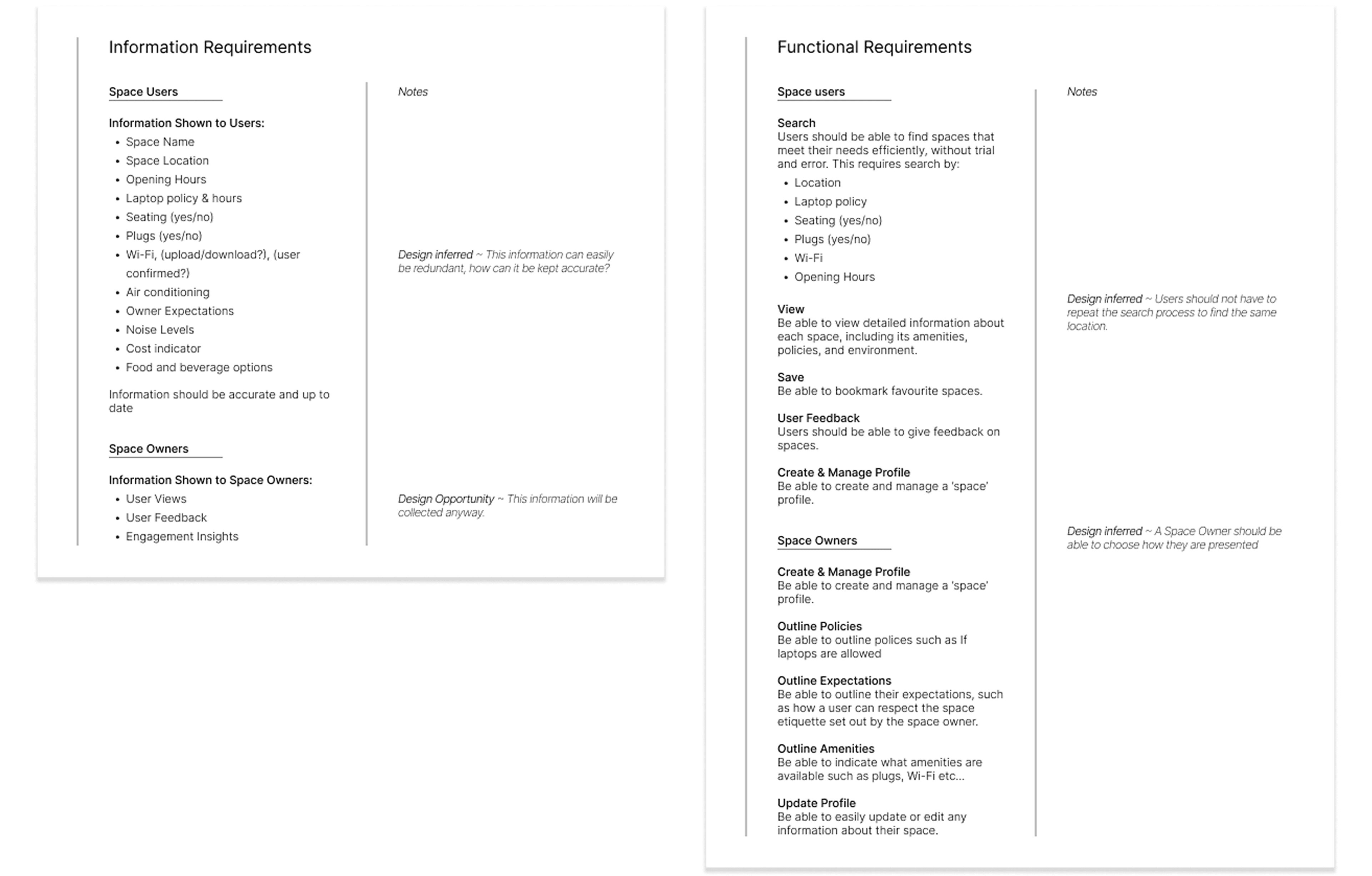
Information and functional requirements

Information and functional requirements for space users and space owners

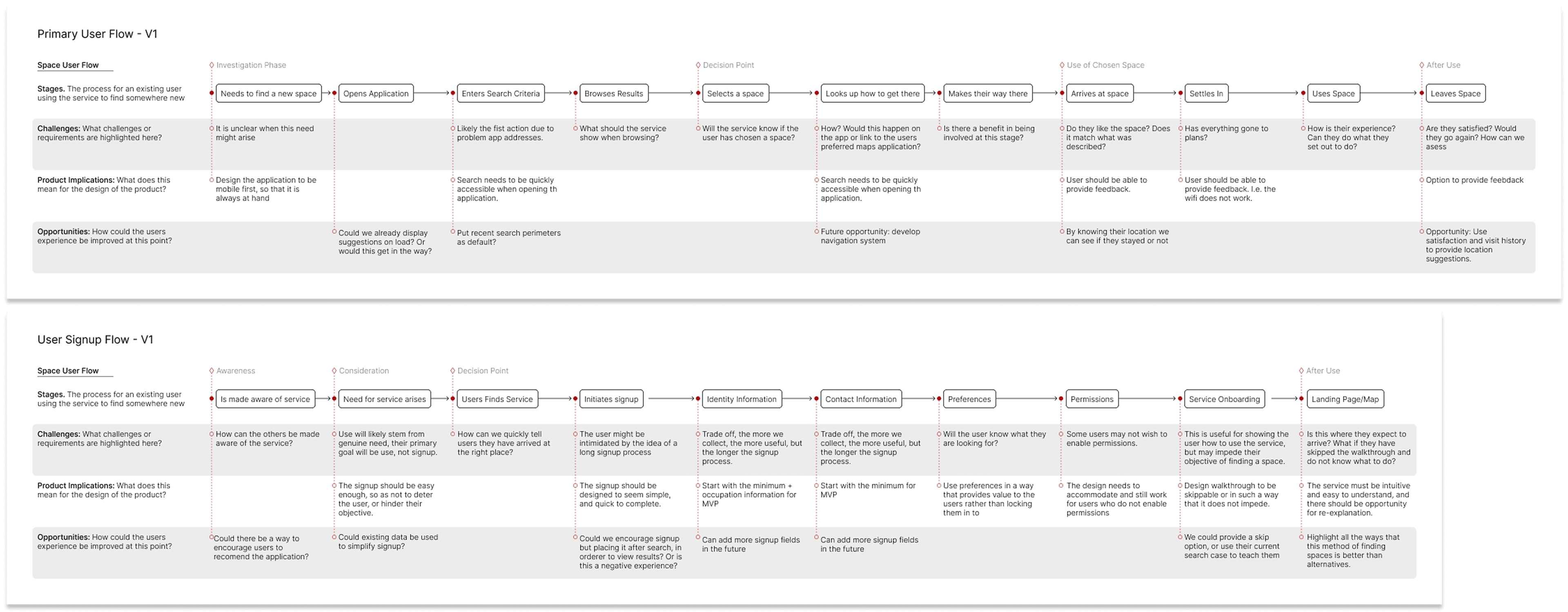
Primary and signup flows

Primary user and signup process flows with challenges, implications and opportunities

Moving from assumptions into a workable scope

This compressed view shows the breadth of the scope work rather than asking the reader to inspect every note: user stories, opportunity qualification, requirements and process flows.

Modelling two connected experiences

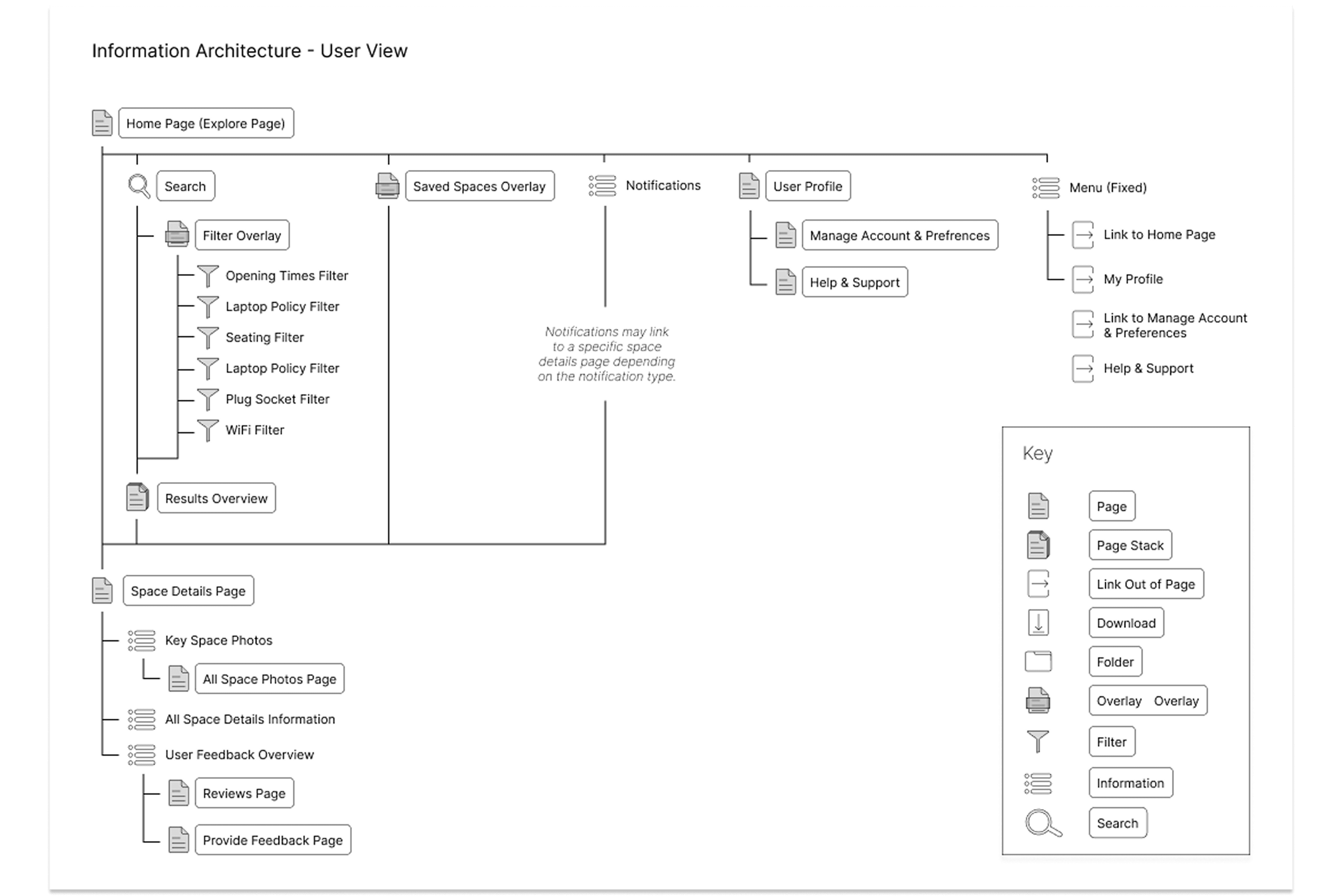
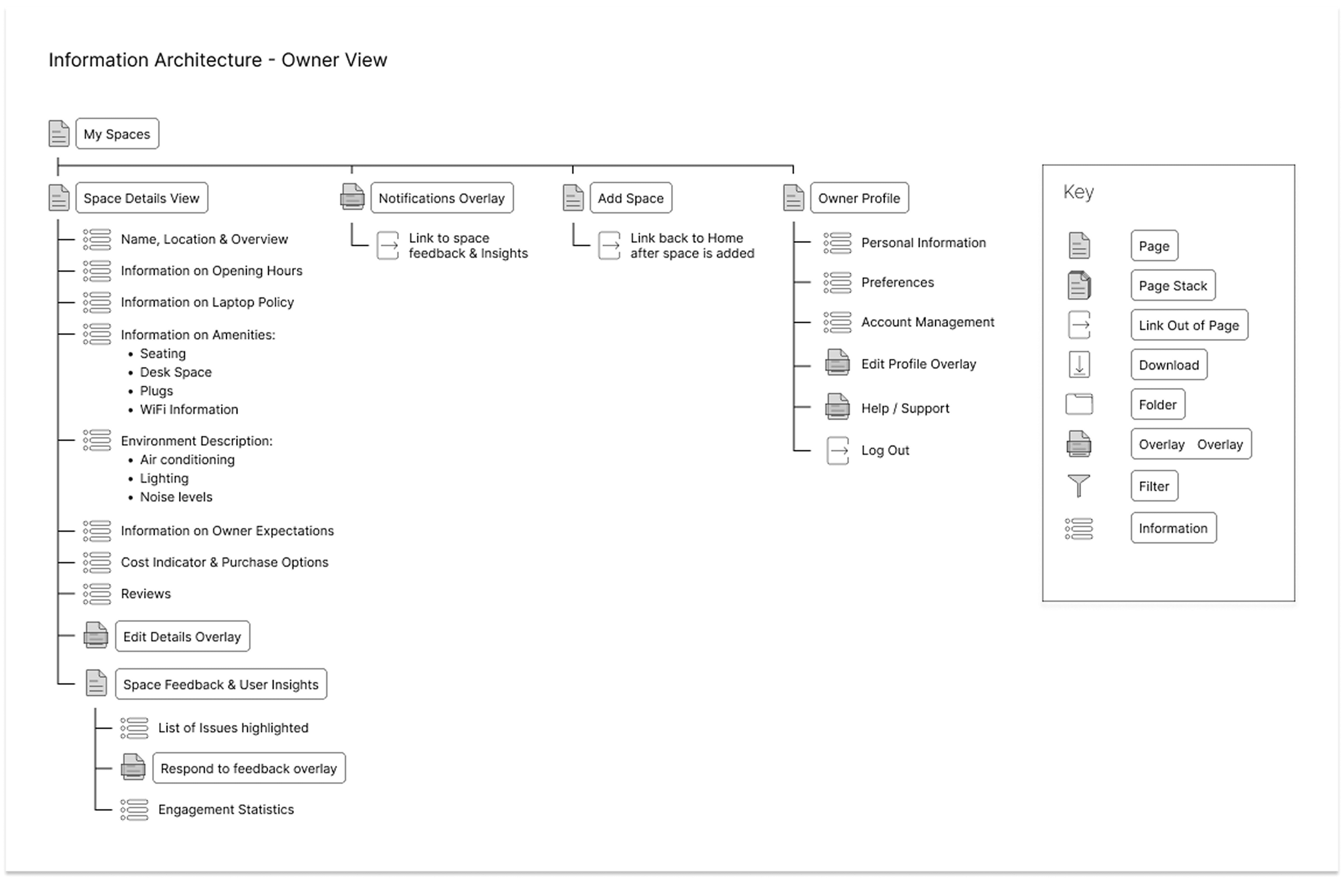
Separate information architectures and task flows for users and space owners informed wireframes for discovery, comparison, evaluation and operational overview.

User-view information architecture

Information architecture for the user-facing Spaces experience

Owner-view information architecture

Information architecture for the owner-facing Spaces experience

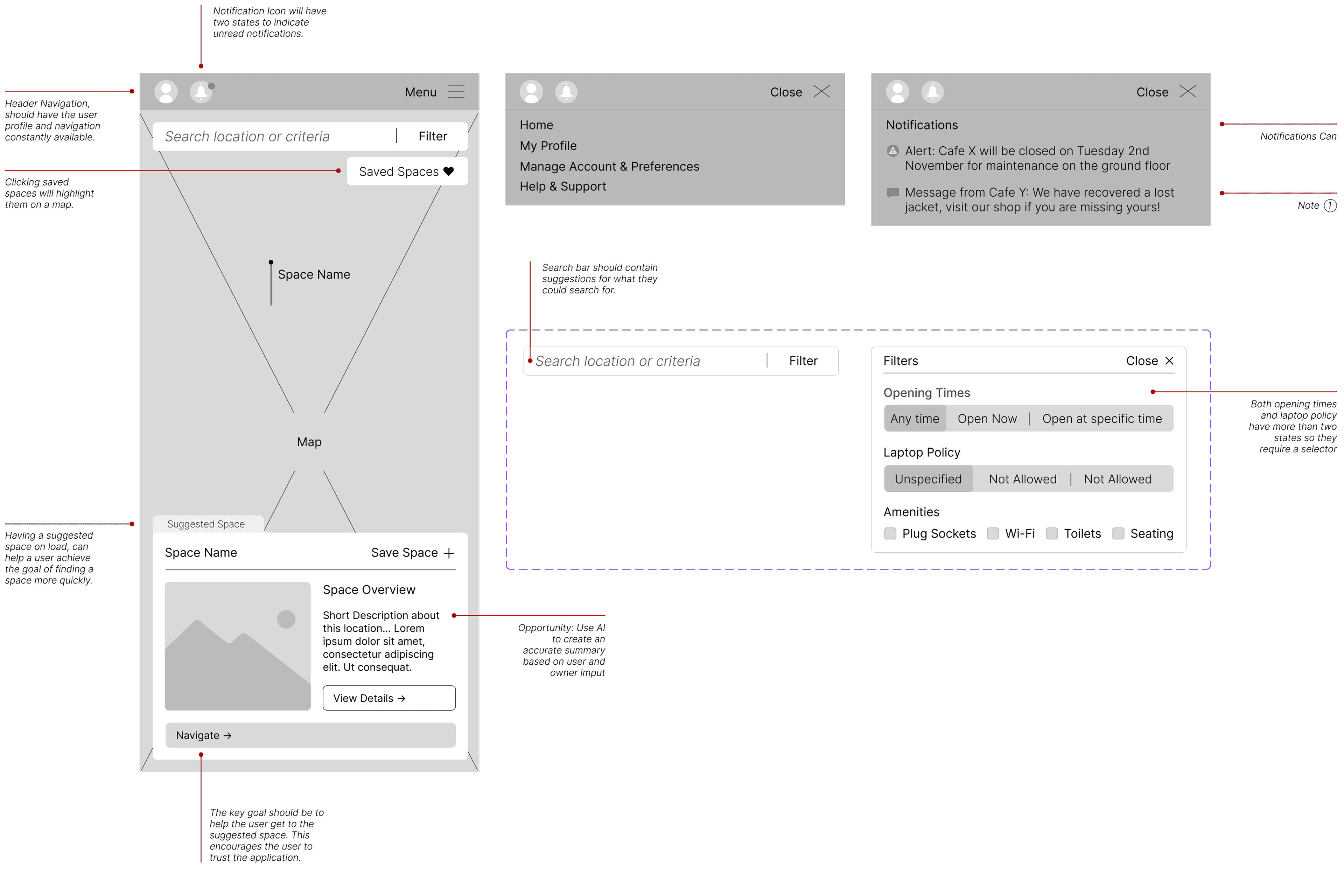
Map discovery

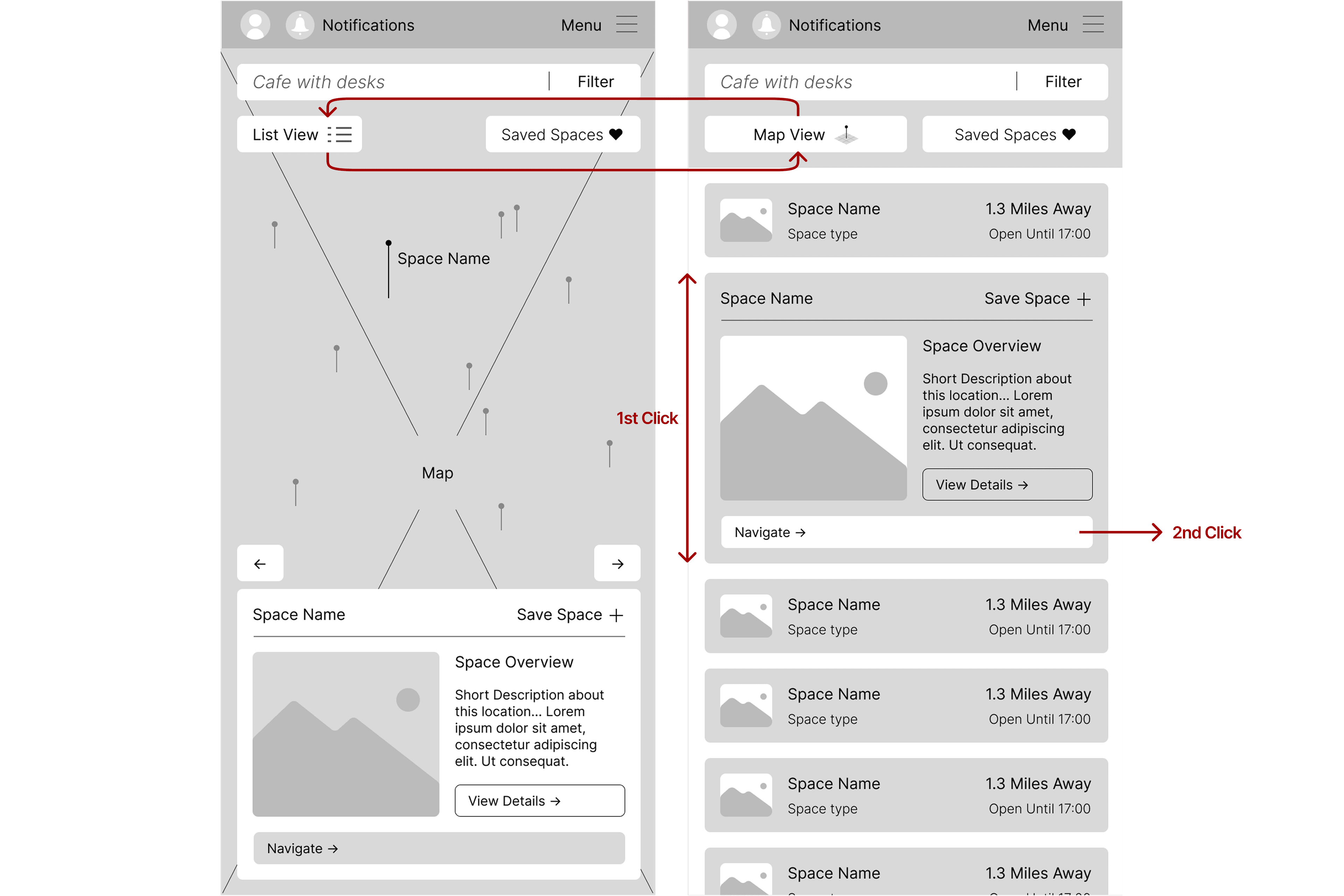
Spaces map-view wireframe

Streamlined Evaluation

Spaces list-view wireframe

Detailed evaluation

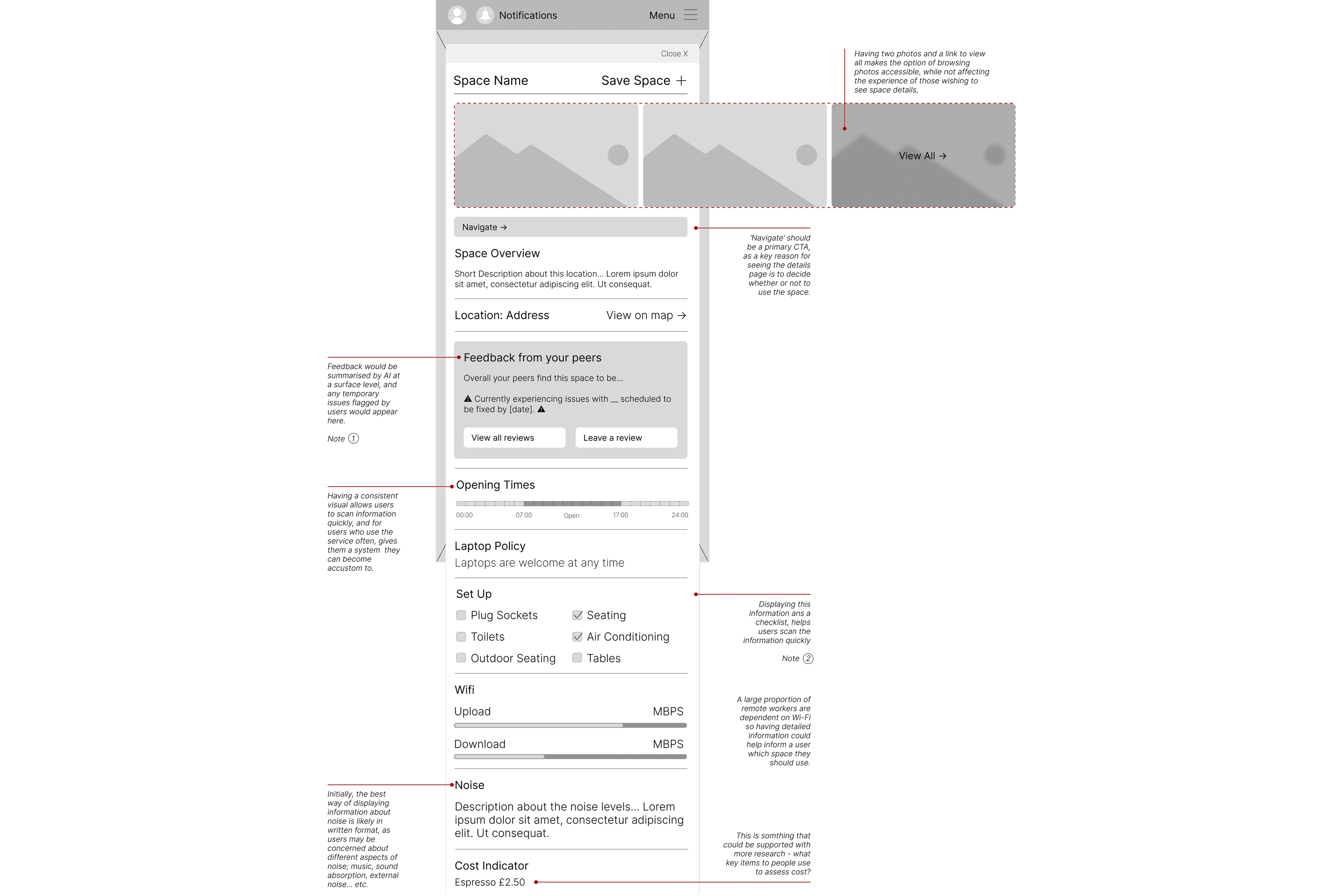
Spaces detail-page wireframe

Owner overview

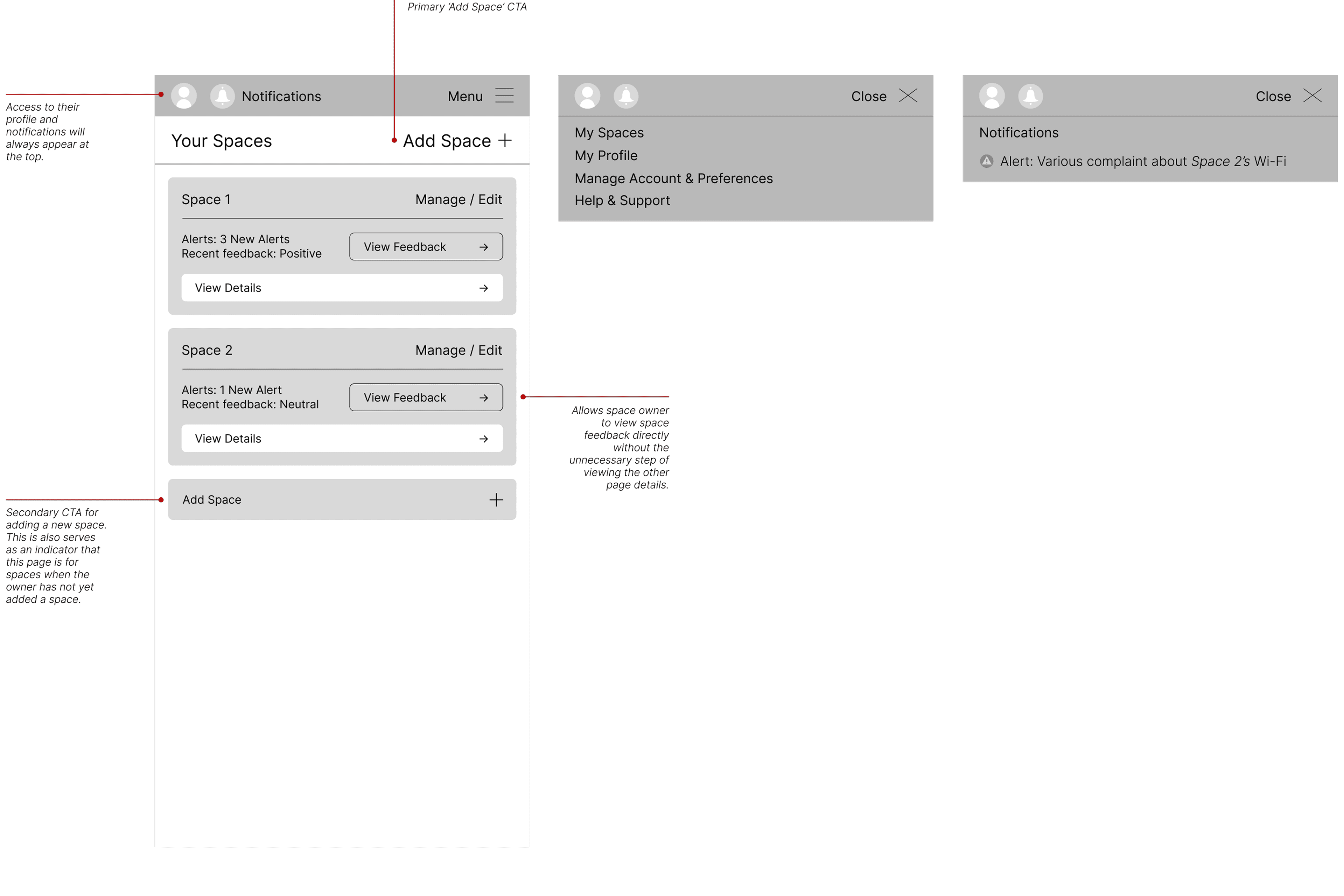
Spaces owner-overview wireframe

Designing two connected parts of the service

Separate information architectures led to wireframes for map and list discovery, detailed evaluation and an owner overview. The contact-sheet treatment shows the extent of the interaction work without turning each wireframe into a presentation slide.

From wireframes to a functioning model

The wireframes informed a functioning model of the user experience, carrying content structure and interaction logic into the directory, location detail and feedback flows.
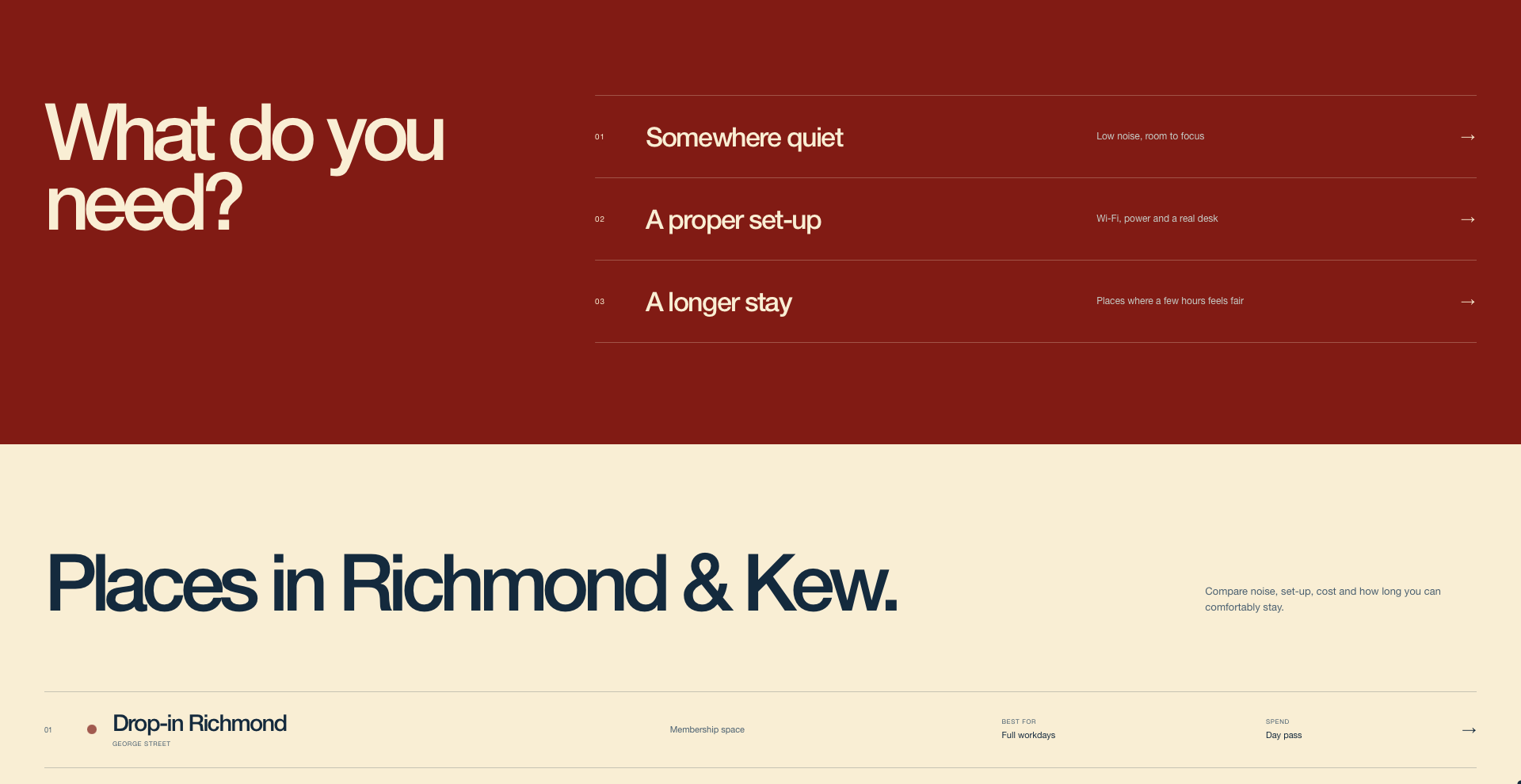
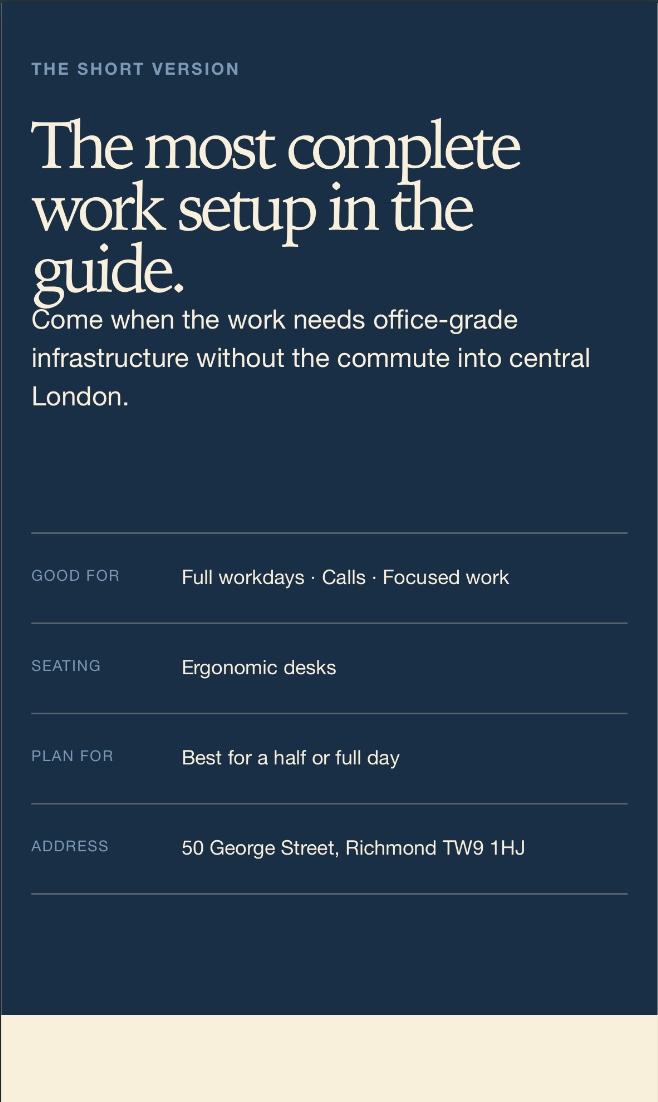
The completed Spaces directory and routes into focused place-finding needs
A concise place summary and practical profile information on mobile
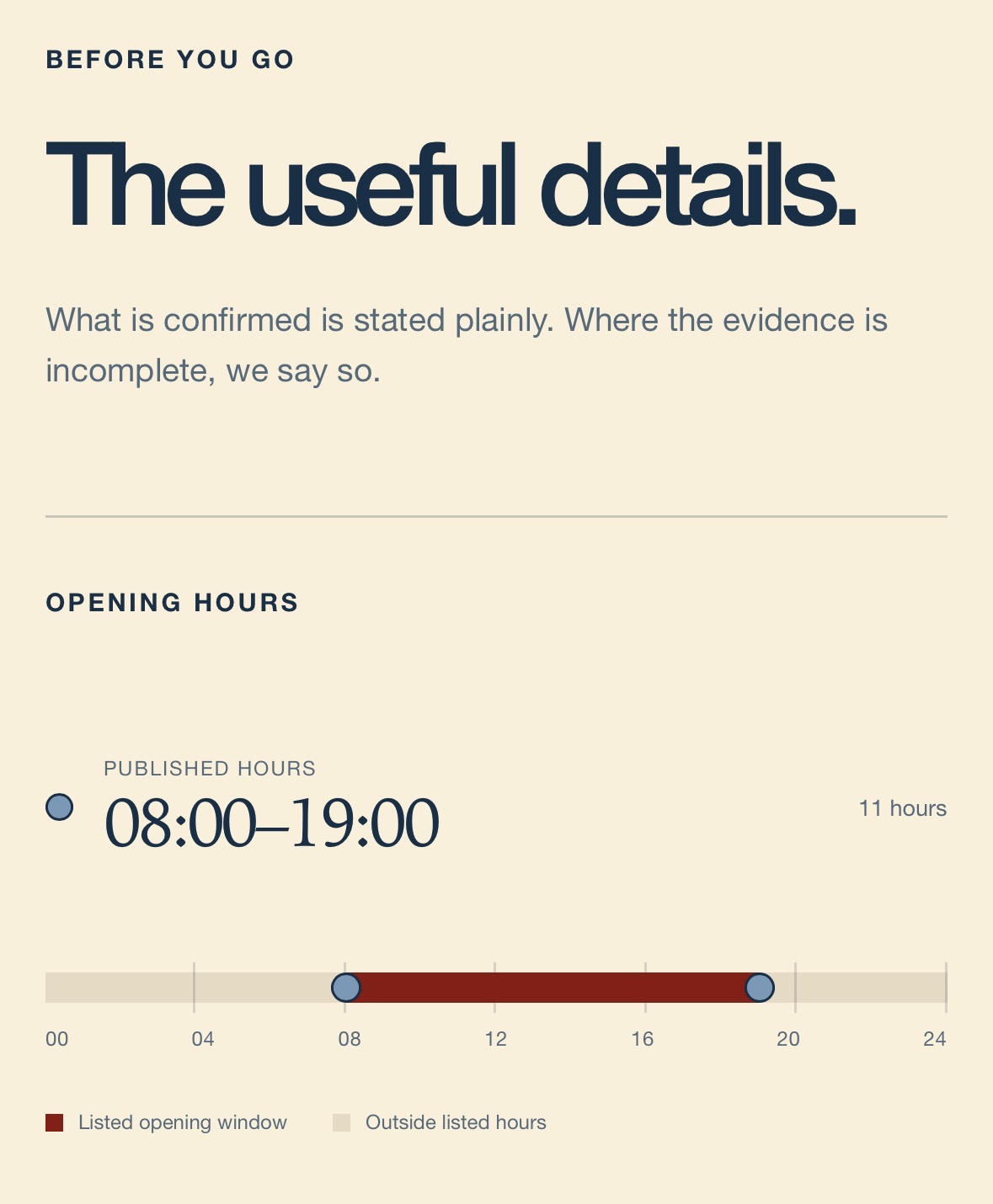
Published opening hours visualised in the completed mobile location profile
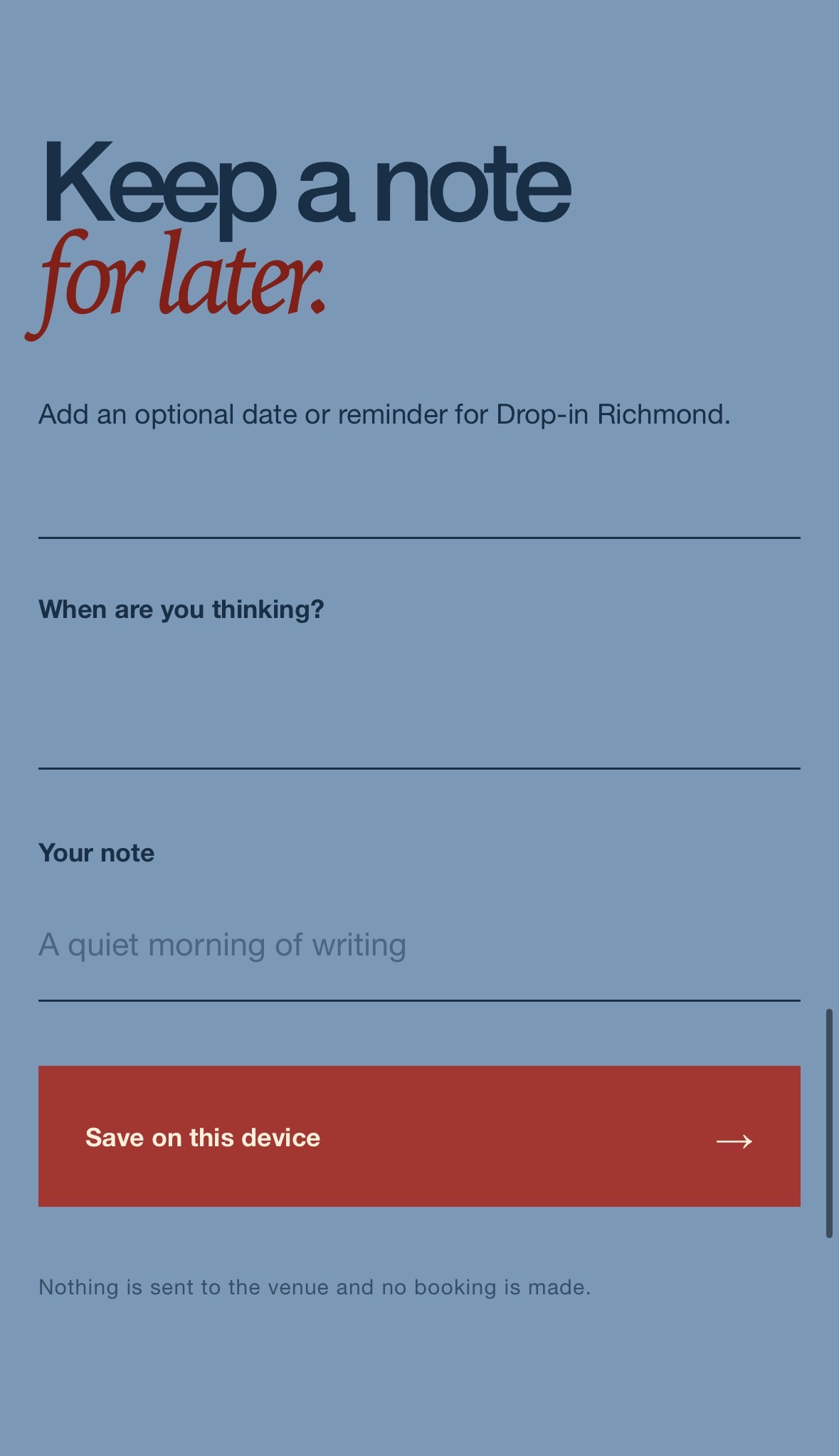
The completed mobile interaction for saving a personal note against a place

Developing the wireframes into a working experience

The earlier wireframes informed a working implementation, bringing content structure and interaction logic into the directory, location detail and feedback flows.

Watchlist Investigation

Supporting content tracking & building excitement for releases

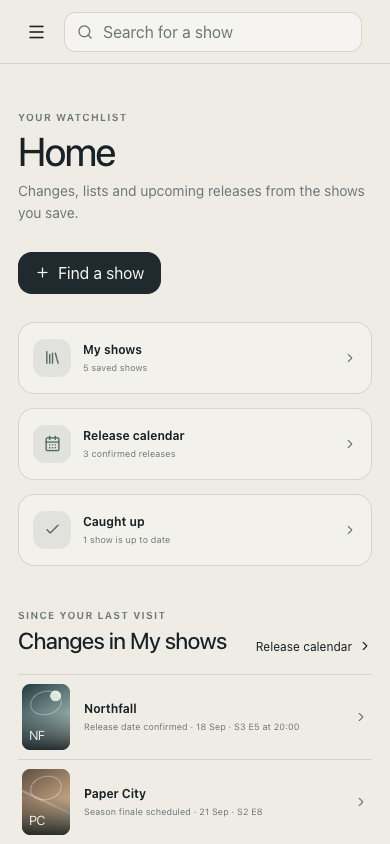
Watchlist brings saved shows, viewing progress and upcoming releases into one tracker. Product framing, comparative investigation and early interaction modelling shaped how those parts work together.
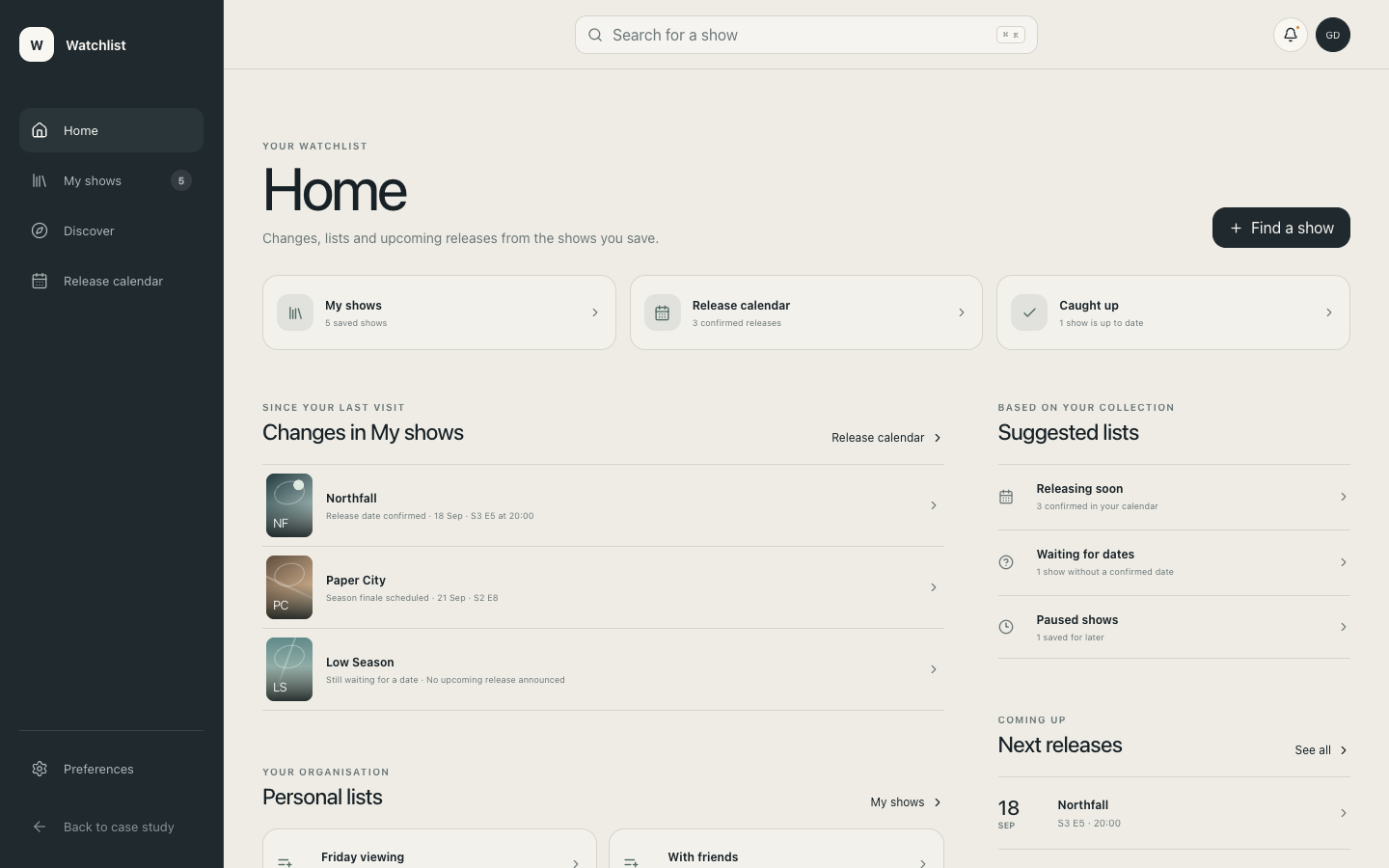
Home · desktop
Home
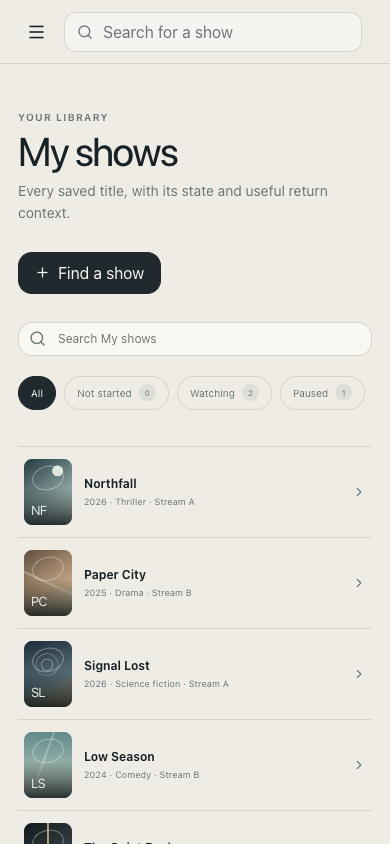
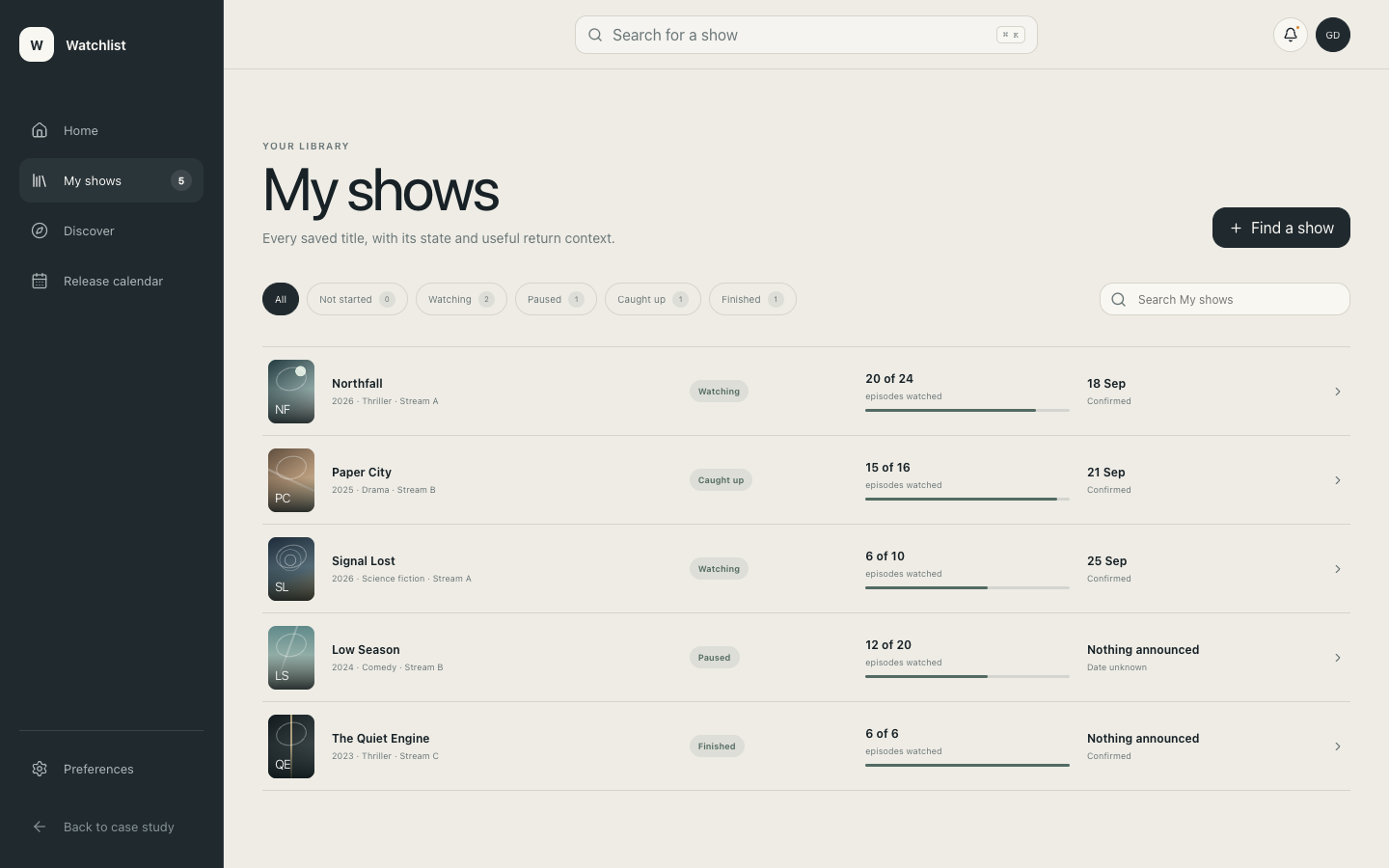
My shows

An independent product-design exploration

Watchlist was developed through product framing, comparative research, interaction design and prototyping. The resulting connected application uses a fictional catalogue and stores its state locally.

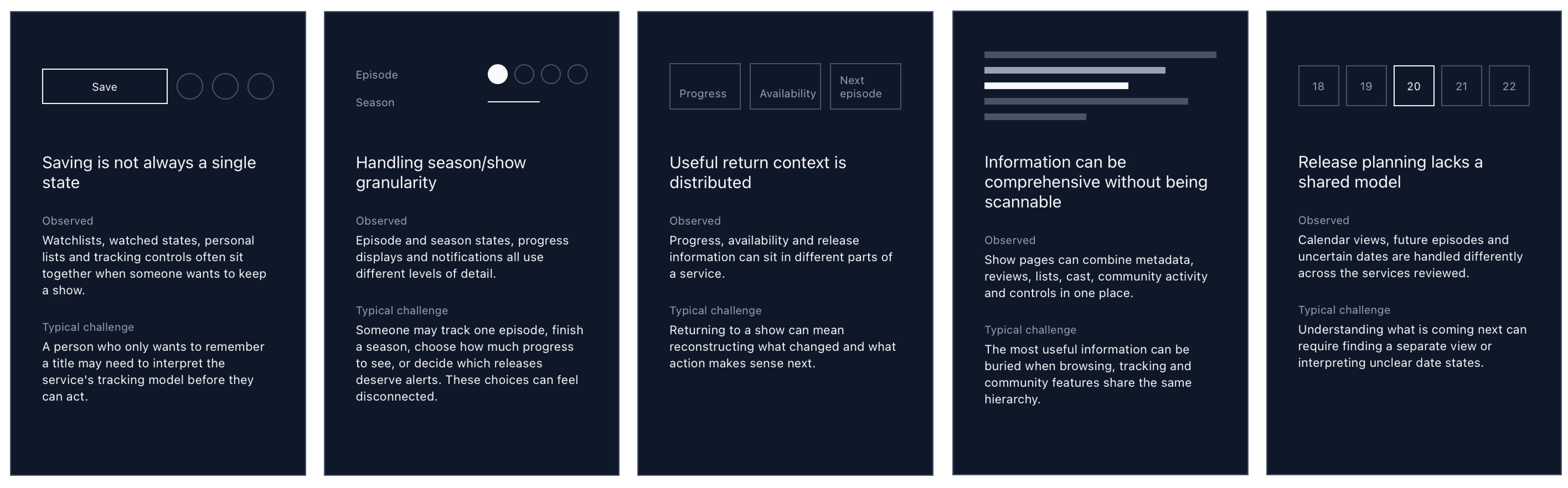
Understanding the existing landscape

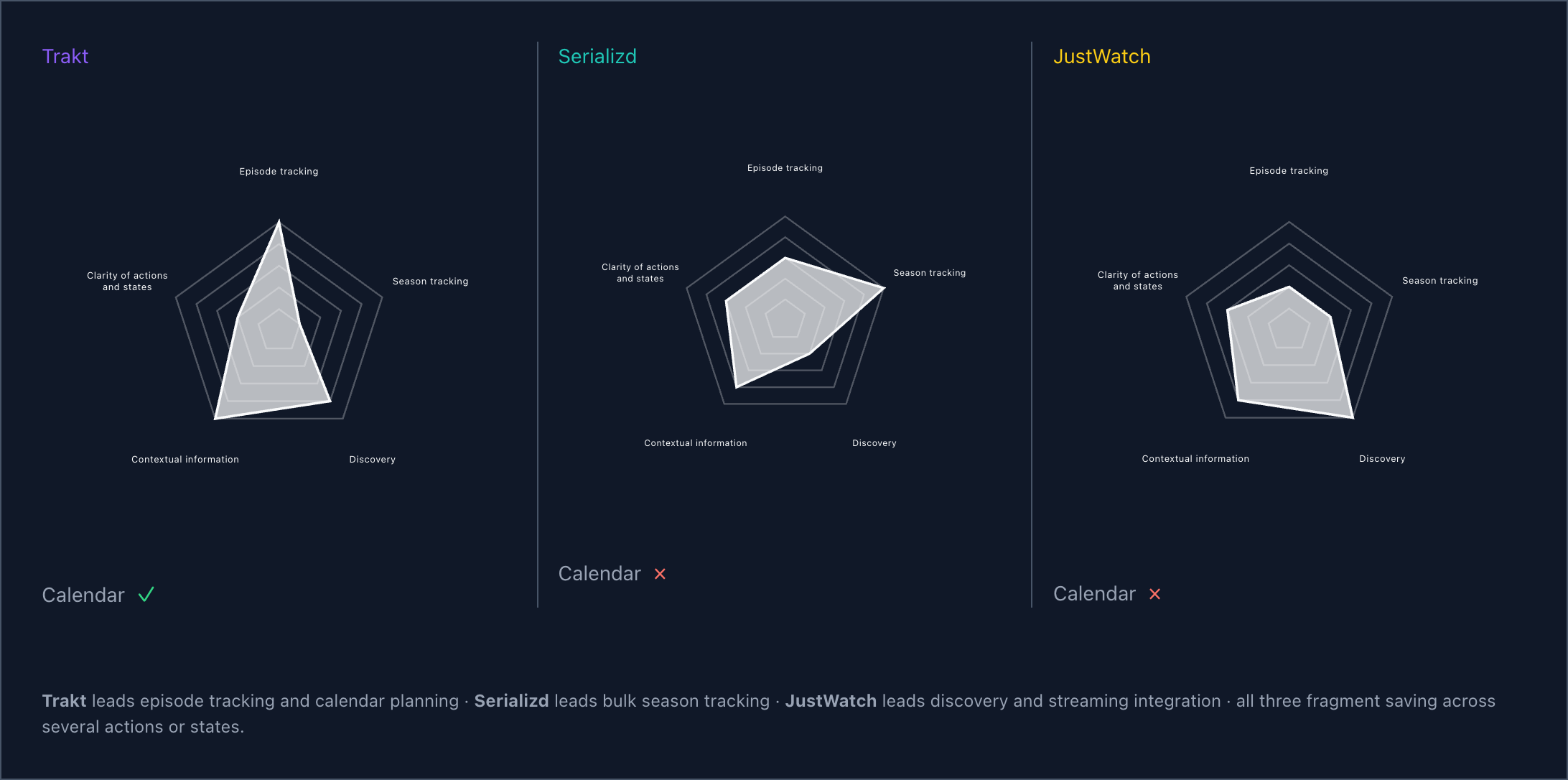
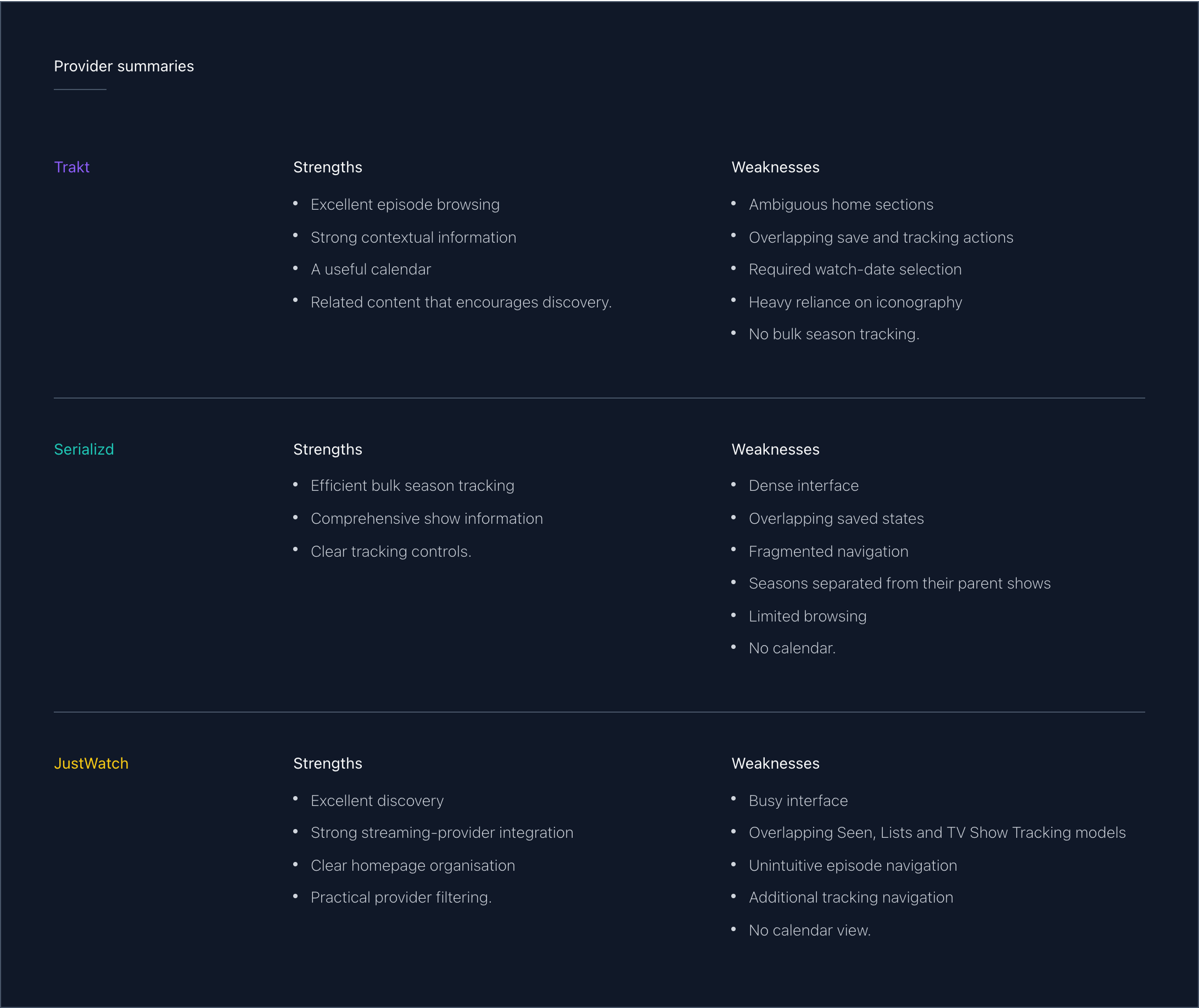
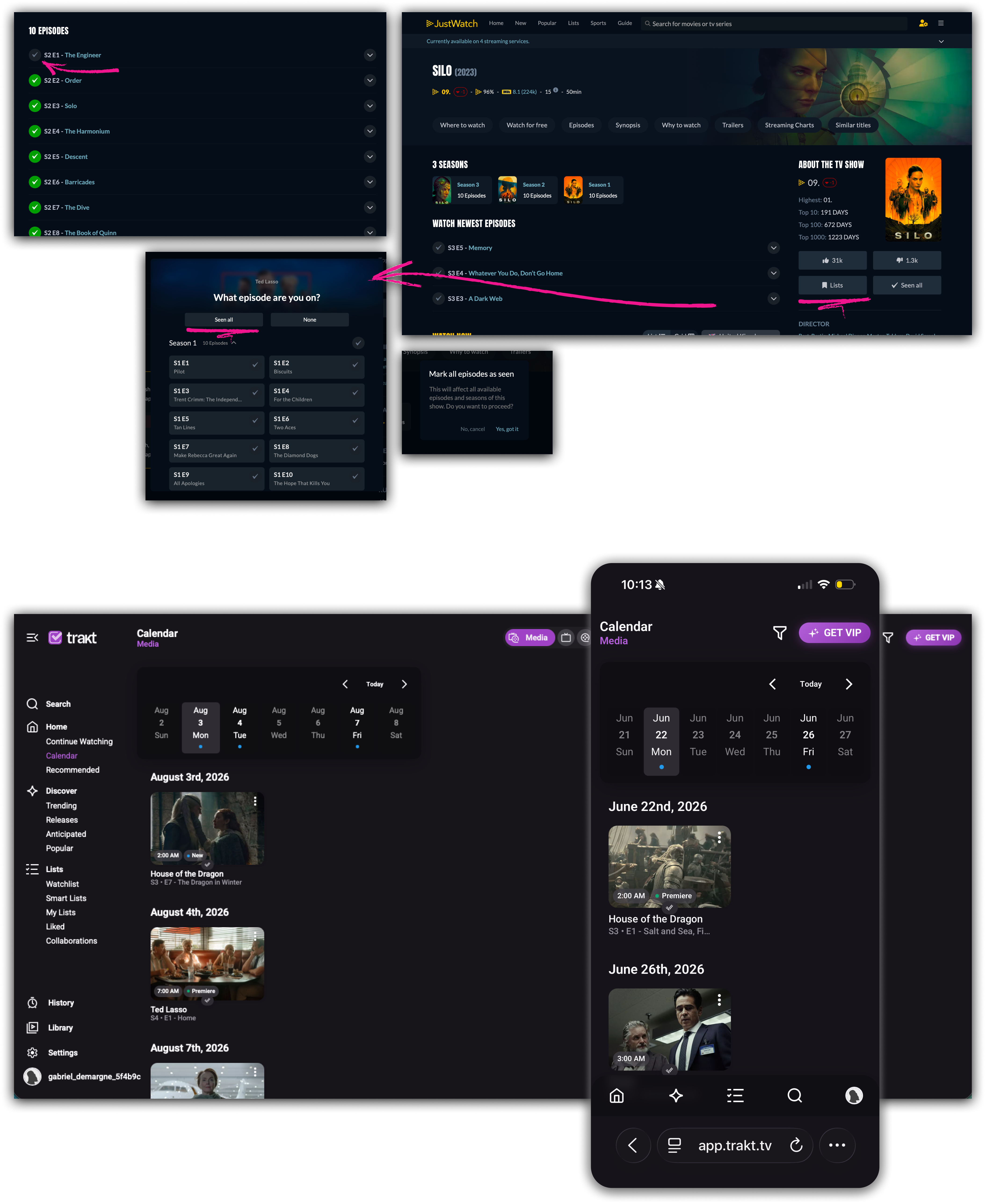
A comparison of existing products informed research outcomes, working requirements and How Might We prompts, grounding later product decisions.

Comparative benchmark

Comparative radar diagrams for Trakt, Serializd and JustWatch
Strengths and weaknesses summaries for Trakt, Serializd and JustWatch
Layered annotated benchmark captures from Trakt, Serializd and JustWatch

Analysis and opportunity framing

Research outcomes developed from the comparative benchmark
How Might We prompts developed from the benchmark analysis

Carrying comparative research into product definition

The work moved from a detailed review of established services through synthesis, requirements framing and How Might We prompts. The compressed contact sheet shows the breadth of the investigation without turning the portfolio into a presentation of its individual findings.

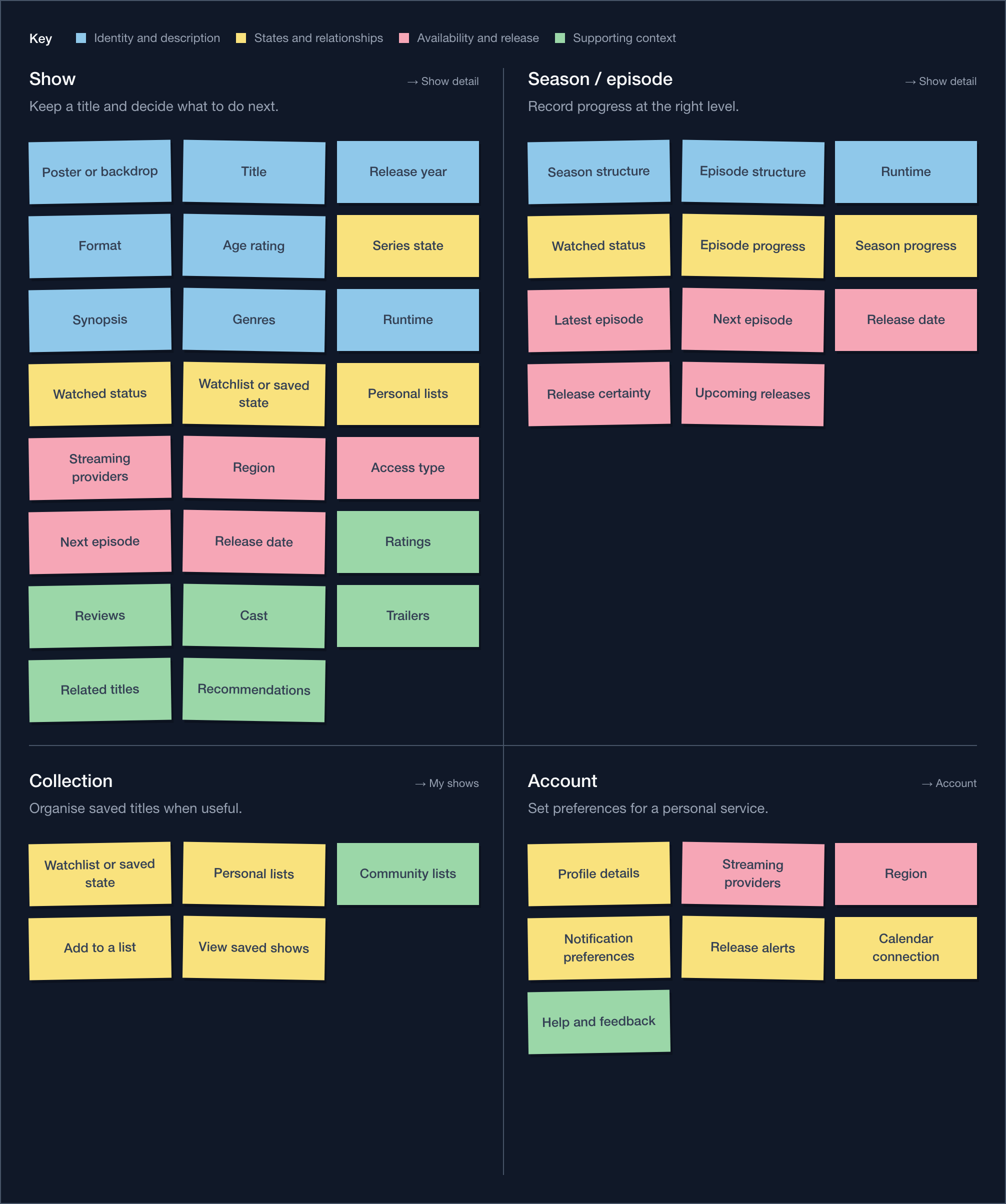
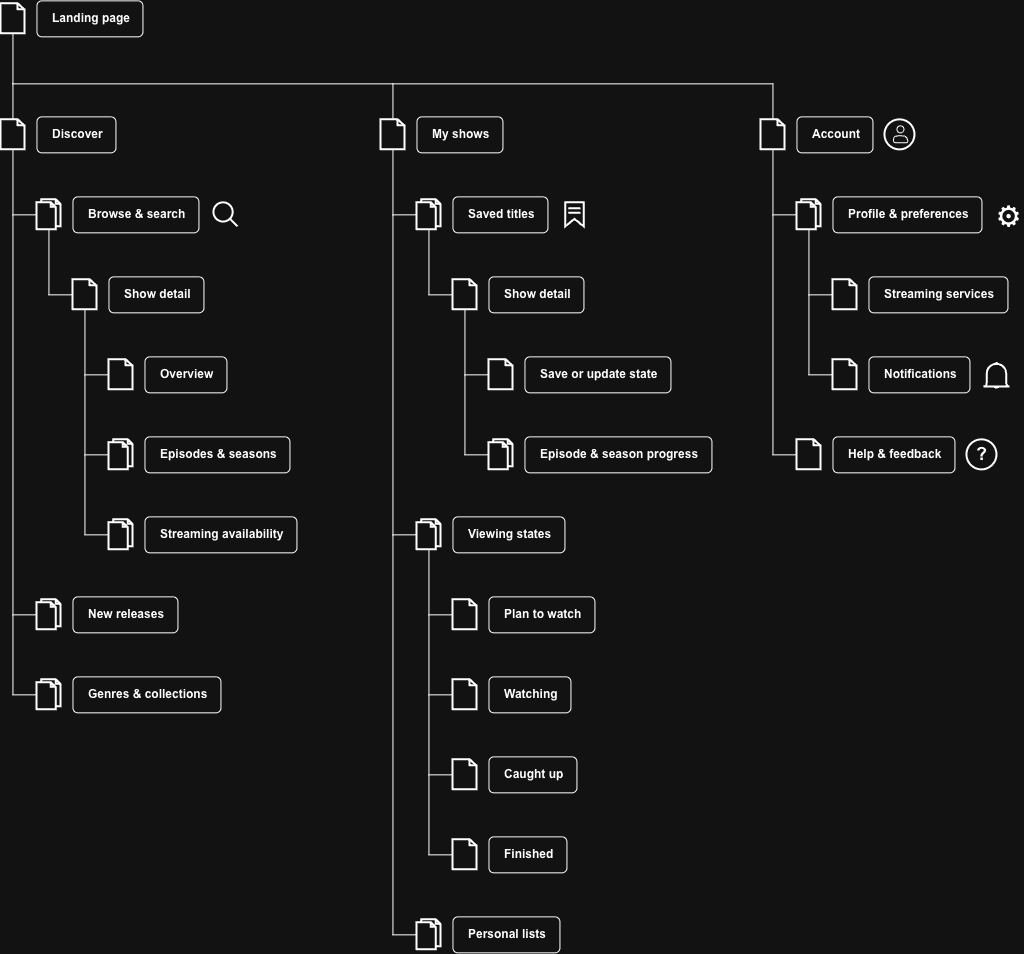
Turning the investigation into a product structure

Structure ideation organised the identified requirements and design opportunities before they were developed into an information architecture for the wider product.

Structure ideation

Structure ideation organising identified requirements and design opportunities

Information architecture

Information architecture developed from the structure ideation

Organising requirements into a navigable model

A structure-ideation exercise grouped the identified requirements and design opportunities. The resulting relationships then informed the information architecture, moving the project from a set of needs into a coherent product structure.

Developing interactions through sketches and prototypes

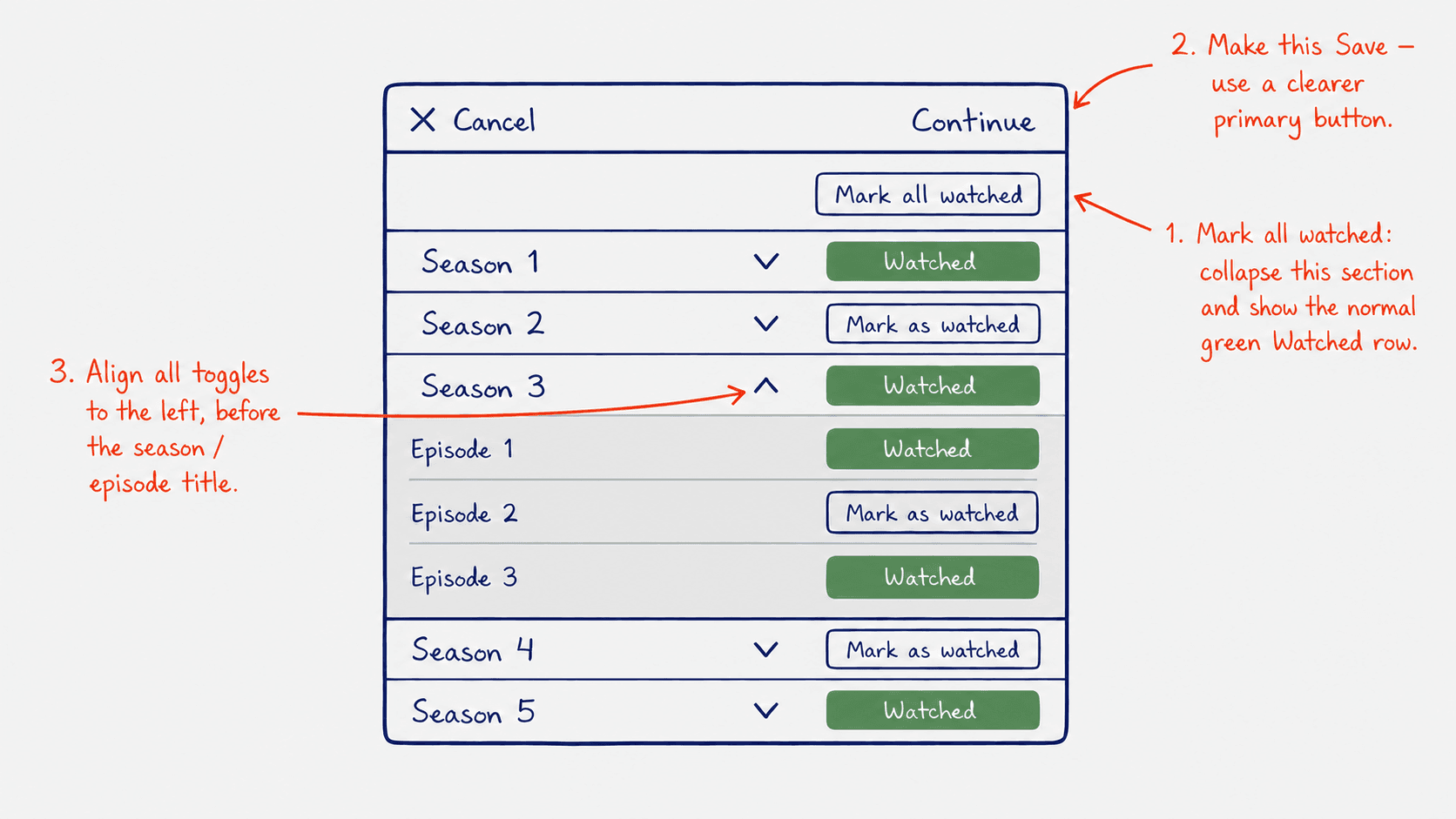
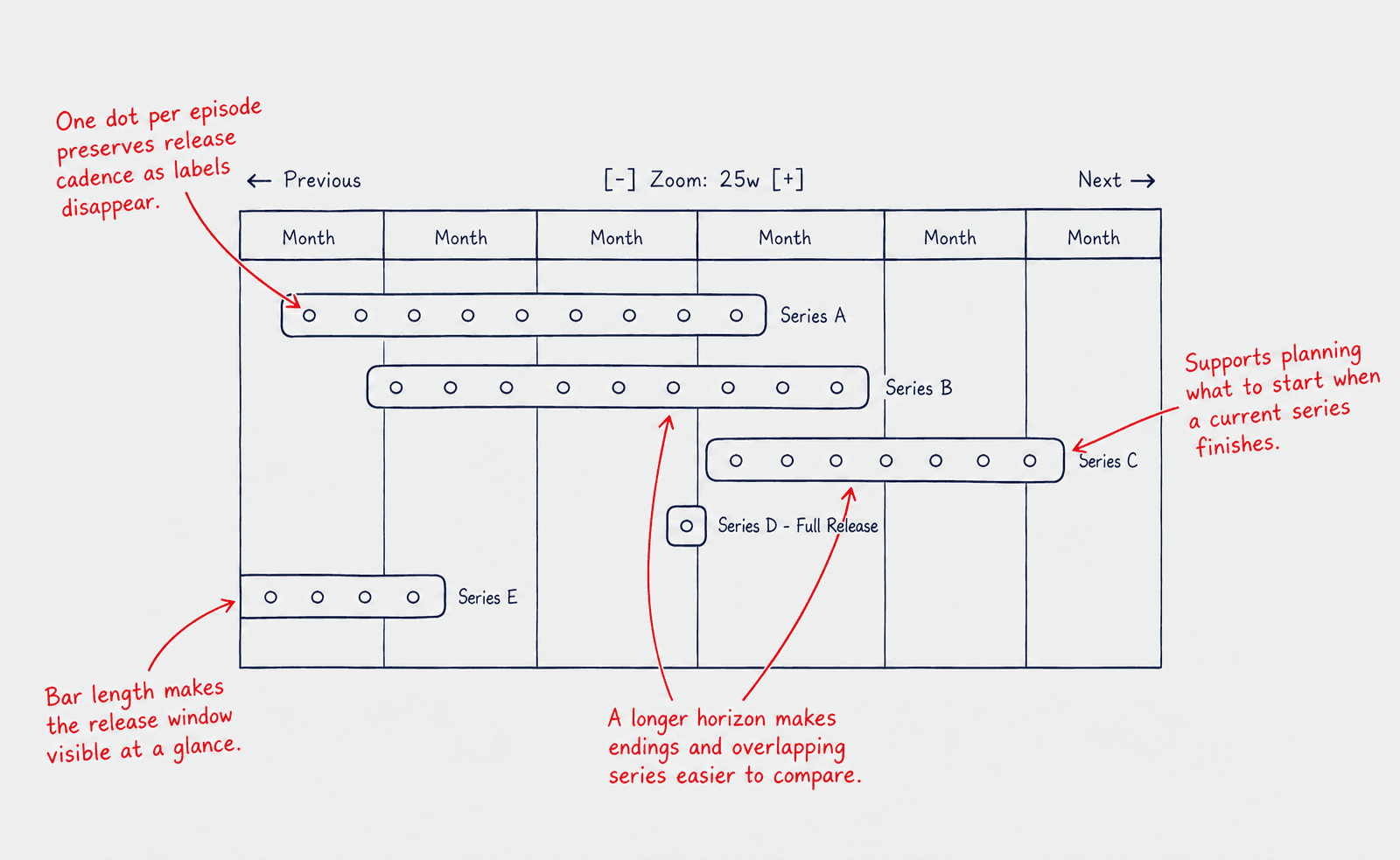
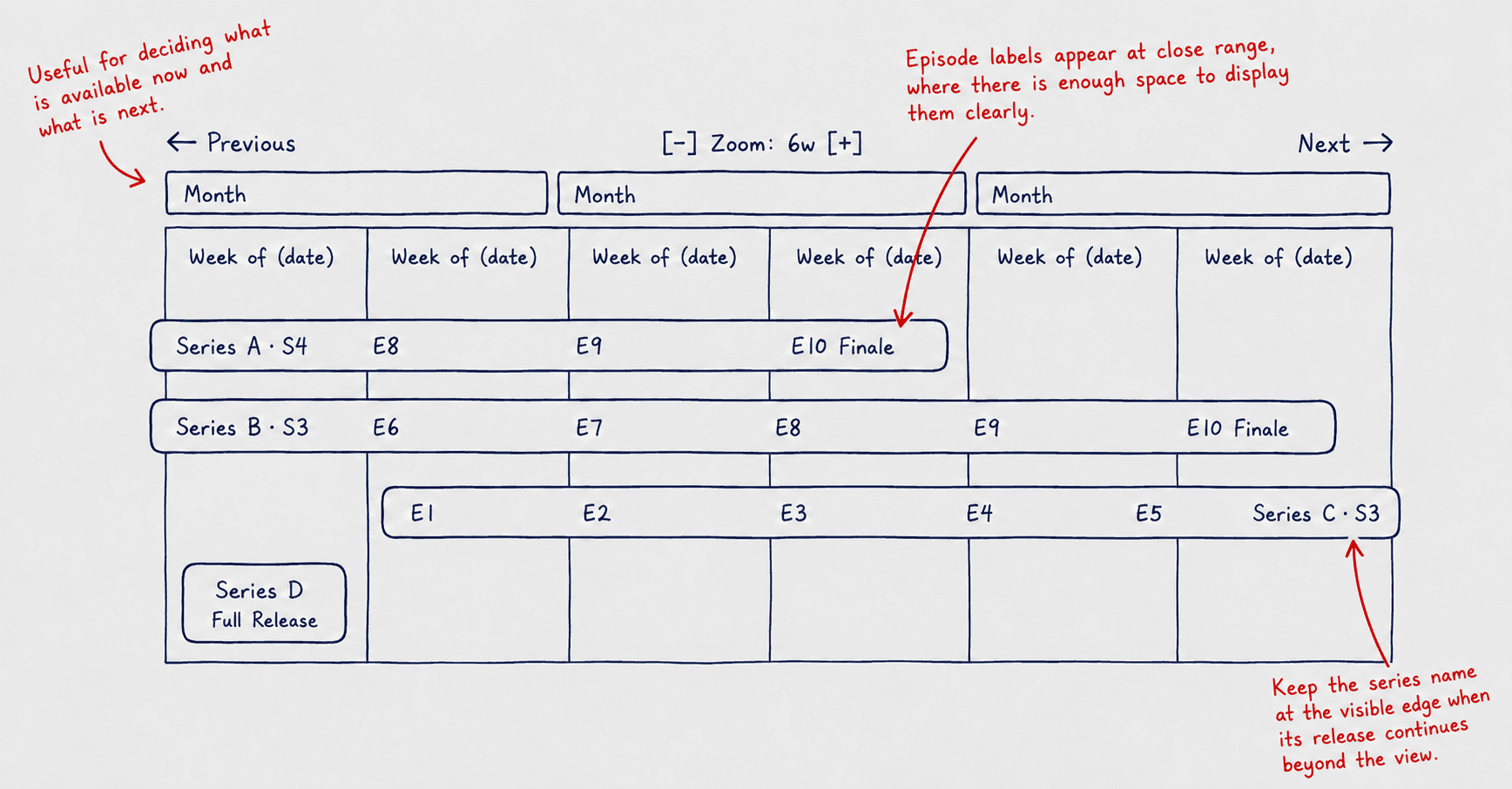
Early interactions were sketched, annotated and refined, with focused working prototypes used to explore behaviours that needed deeper iteration.

Annotated interaction sketches

Annotated interaction sketch reviewing a progress-management flow
Annotated interaction sketch reviewing a longer planning horizon
Annotated interaction sketch reviewing a closer planning horizon

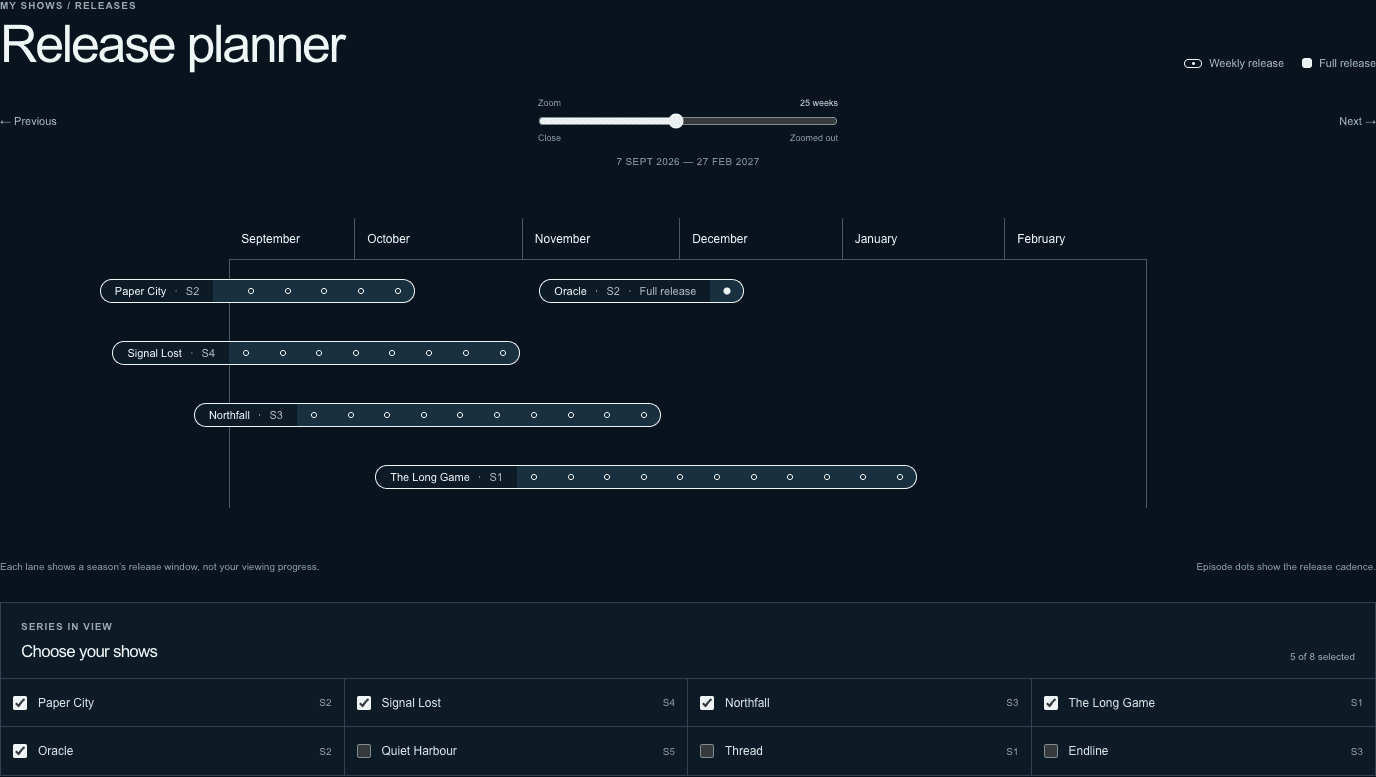
Focused working model

Early release-planner working model

Exploring and refining interaction decisions

Annotated sketches recorded design critique and refinement. A focused working model was then used to test behaviour that needed deeper iteration.

Developing the product as a working application

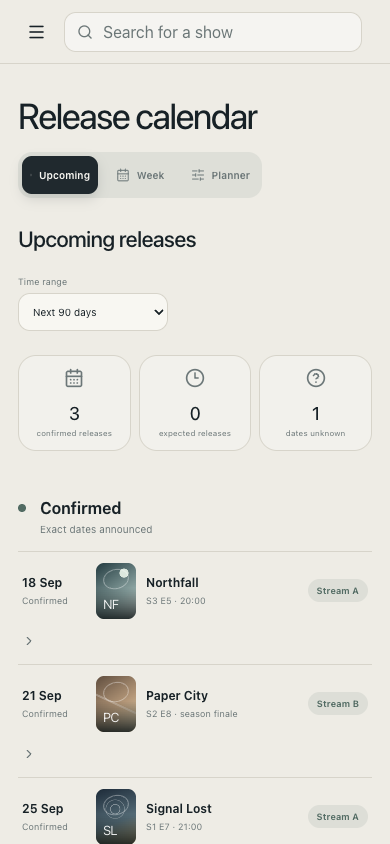
The selected direction was developed into a responsive application, allowing the connected model to be experienced across its principal desktop and mobile views.
Home · desktop
My shows · desktop
Calendar · mobile
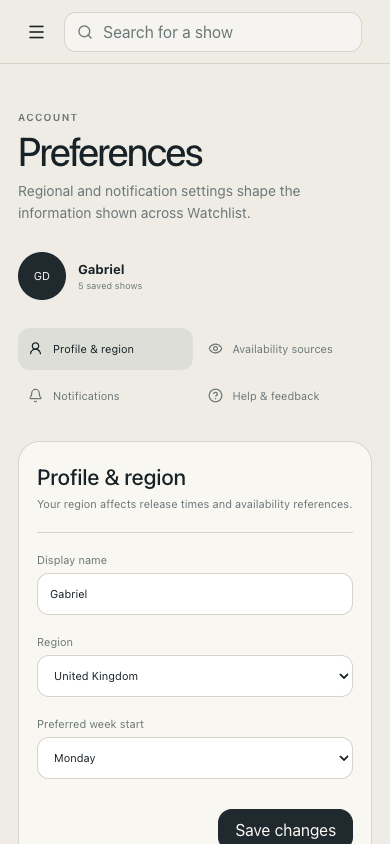
Preferences · mobile

Taking the product direction into a responsive application

The selected direction was developed into a connected working application across discovery, personal collections, release planning and preferences. These captures show the same product operating across its principal desktop and mobile views; the catalogue is fictional and state is stored locally.

Product Finder Exploration
Modelling adaptive search and fallback logic

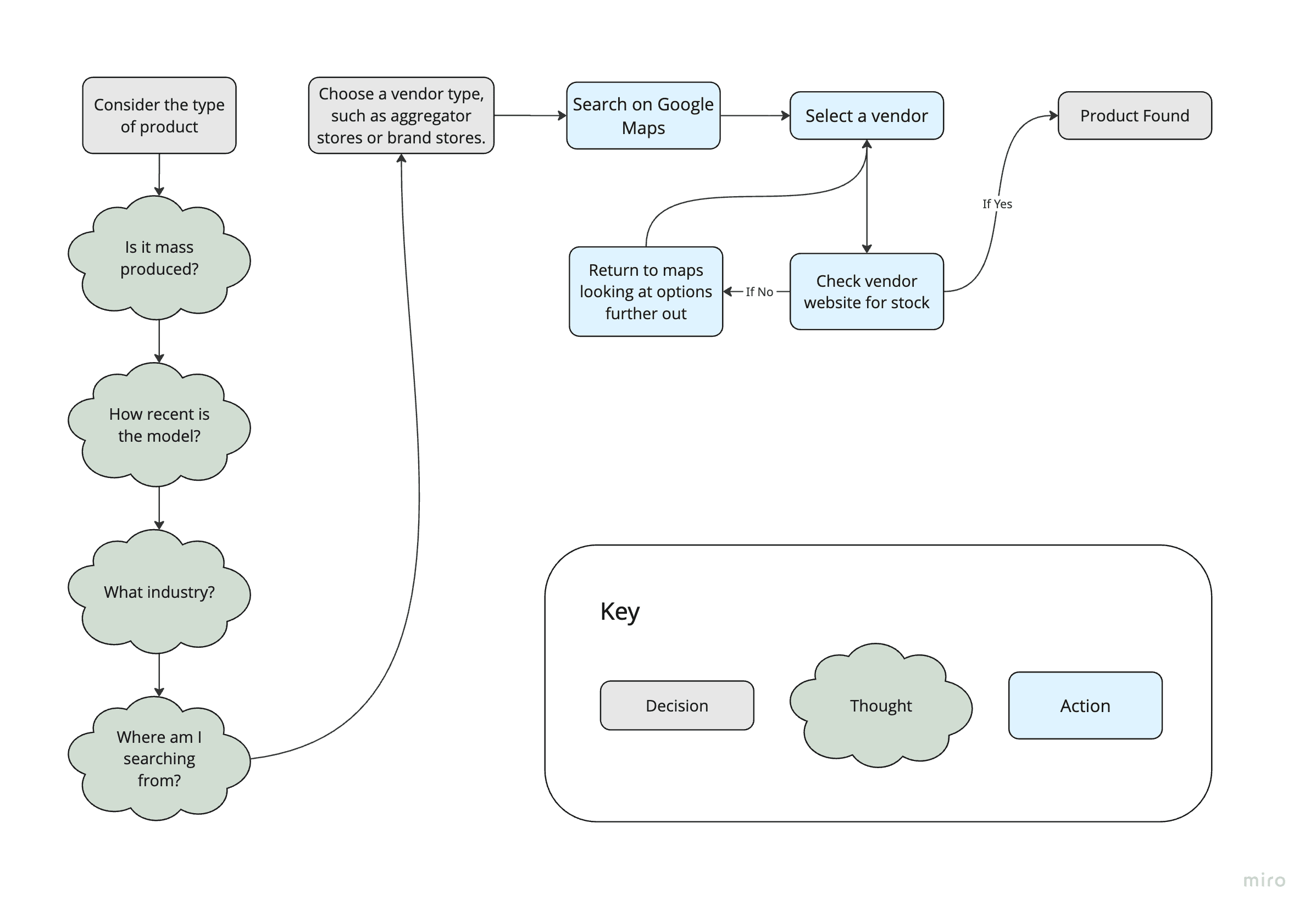
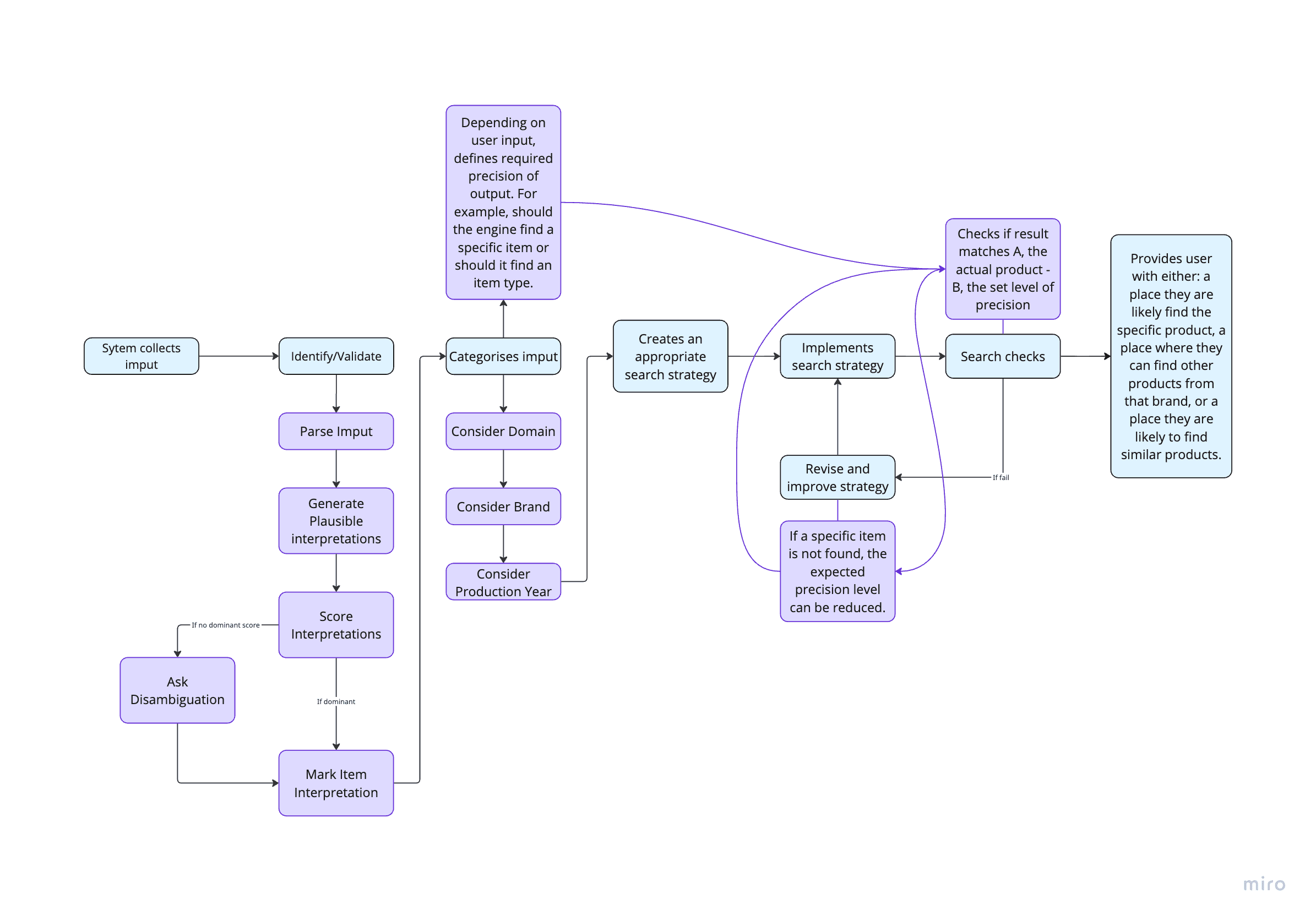
Process mapping established the decision logic; systems design and prototyping refined the matching, fallback and revision rules, making the search behaviour explicit and testable.

1. Existing search process

Mapped manual process for locating a physical product

2. Initial adaptive-search model

Initial Product Finder process model showing interpretation, search strategy, result checks and revision loops
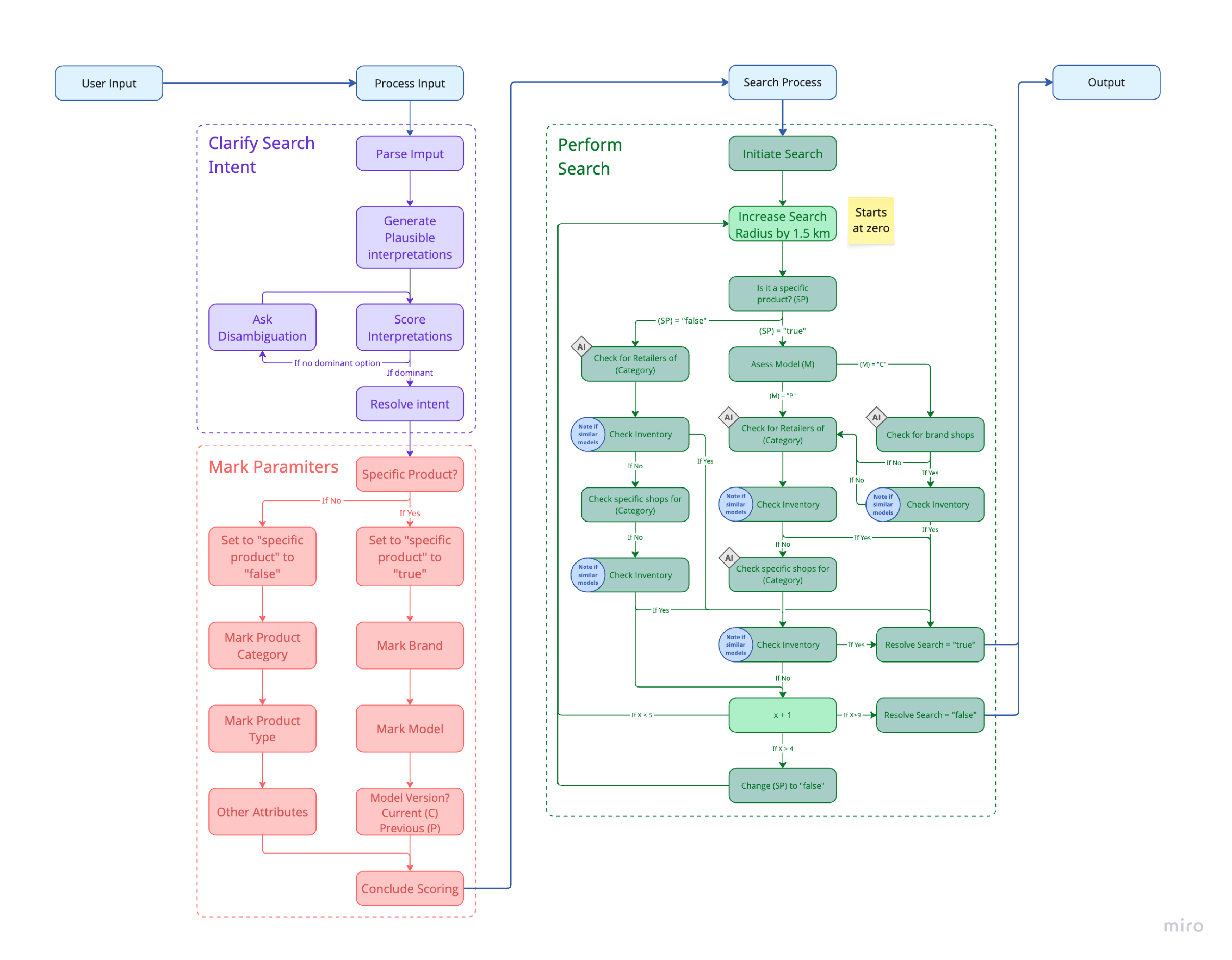
3. Refined matching and fallback logic

Operational logic model for interpreting and widening a product search

Modelling and refining decision logic

Mapping the existing process led to explicit interpretation, matching, fallback and revision rules. The refined model makes complex search behaviour easier to understand and test.
Design Practices

Appropriate use of AI in design thinking

I use AI to synthesise supplied information, check work, create visual assets from evidence and build testable prototypes more quickly. Reusable skill instructions keep the tools aligned with a design process I have chosen. AI does not fabricate evidence, replace research with real users or make design decisions on my behalf.
Synthesise supplied information

AI can organise and condense project material, but the underlying information must come from traceable sources.

Check and improve work

AI helps identify spelling, grammar and consistency problems; I review and approve the corrections.

Create from evidence

AI can turn approved information into maps, flows and visual assets. It must not invent the evidence those artefacts present.

Prototype more quickly

AI shortens the path from a design decision to a testable prototype, making ideas easier to evaluate and refine.

Keep real users in research

AI can support research planning and synthesis, but it cannot stand in for participants or create user findings.

Encode the process in skills

Reusable skill instructions define the methods, boundaries and checks I want the tool to follow.